Indie game storeFree gamesFun gamesHorror games
Game developmentAssetsComics
SalesBundles
Jobs
TagsGame Engines
(+1)

Sure, and I'm glad you asked. The 47-piece tileset is for terrains that have a lot of symmetry, allowing for someone to rotate and flip the tiles, saving artist time and file size in the process.  The 256-piece tileset allows me to create asymmetrical designs, and even designs that overlap tiles. Here's an example of a few of the forest tiles I use. Notice how certain connecting edges have trees that are intended to overlap into the next tile:
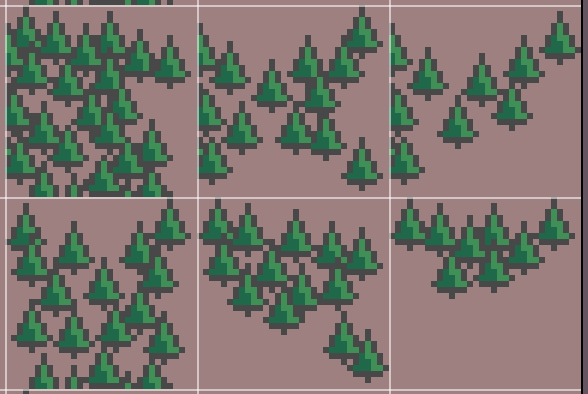
Now let me show you the template beneath it so you can see why I made the artistic choices I made:
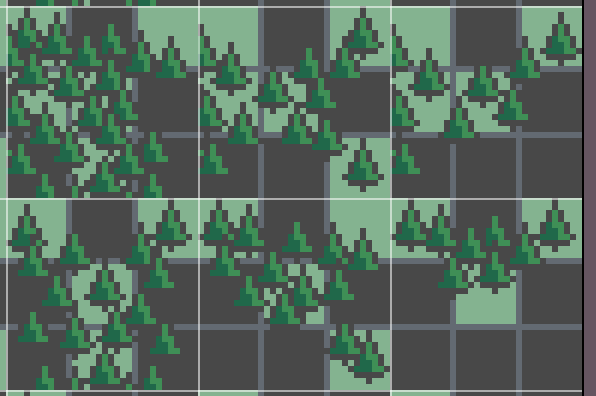
As you can see, I wanted the trees to trail off a certain way depending on the surrounding tiles. Here's a bit of my tileset being used on my current WIP:
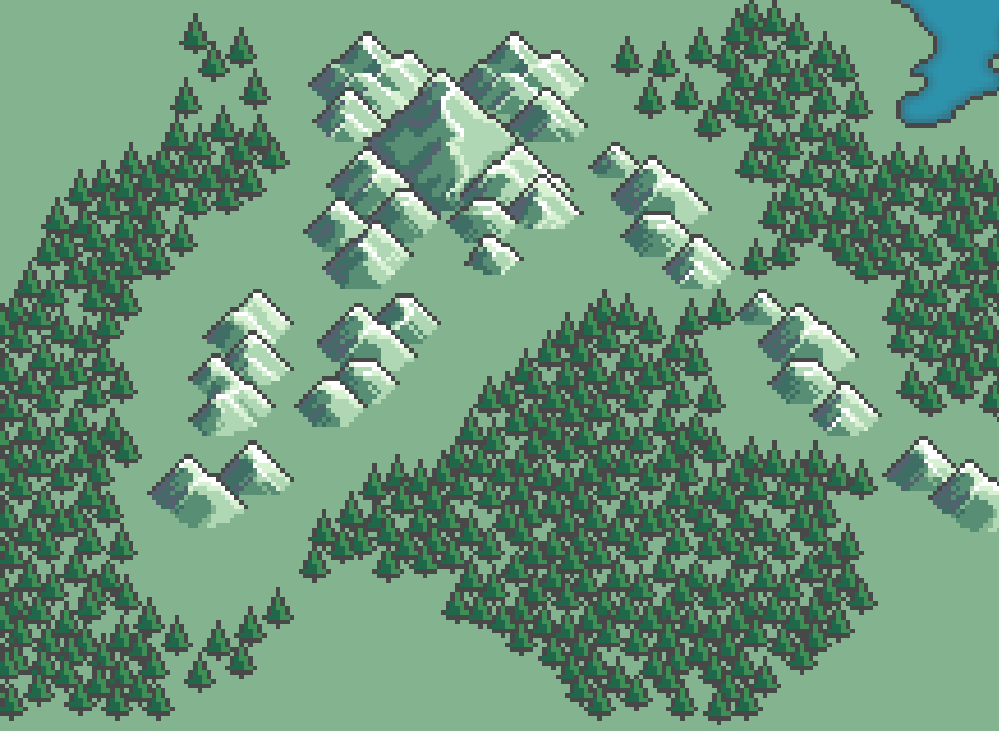
As you can see, it flows relatively smoothly and doesn't look overly tiled.

Hopefully this clears up my choices a bit more! If not, I could break it down even more, if that would help.
(2 edits)

That's awesome! Thank you so much for explaining it :D
I might make a similar tileset with just 47 tiles to see the difference better. If I do so, I'll post it here :)
By the way, could you clarify what dimensions is a single individual tile image? Is it 16x16?

(+1)

Not sure if I did mention it, but they are 32x32. I believe they should scale without much issue, though I could always whip up a smaller version if anyone ever inquired. I've been a bit busy, but I have some time off soon. This conversation has been interesting to me, too. I'd like to see if I can pick through my work and find the spot where l had to convert up to the bigger tileset. If I do, I'll come back to this thread with the specific example that broke the blob tileset for me, and demonstrate how. 

(+1)

Sorry it took so long to get back to this again. Work keeps me busy, but I'm sure you know how it is. Okay so I think I can finally point out where the "blob" tileset fell short for me.


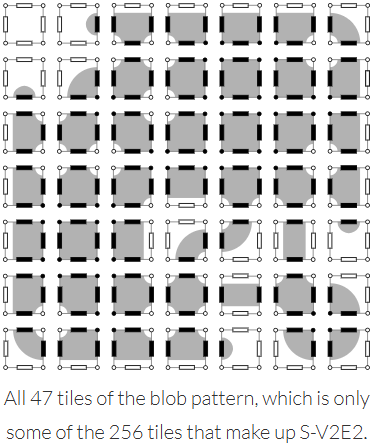
Image credit (this is a great page talking about tilesets btw): https://www.boristhebrave.com/2021/11/14/classification-of-tilesets/

As you can see, none of the tiles in this particular set are corner-only tiles. 

So for example, say that my auto tiler rendered a map, and I take a snapshot of this square pattern of 9 tiles, wherein X represents a forest tile and 0 represents some other terrain:

XX0
0X0
00X

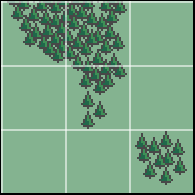
If rendered using only the blob tileset, it comes out like this:


But using a 256-tile set where I can specify that corner connection, then it comes out like this:


This use case comes up constantly in my map gen and it comes up a lot more natural with the 256-tile set.

Hope this finally cleared things up!