

Sorry I've just been super busy, let me work on this this week and I'll get it done in a few days here for ya! I'll reply to this when I've got updated version.
95 days ago(+1)
Ok, the plugin has been updated to allow for player light, and some other Quality of Life updates as well such as plugin commands and a menu for creating the lights so you don't always have to remember the Syntax in a lot of cases. Should be good to go.
Thank you! I’ll definitely test the plugin within the next couple of days. I really like how it handles screen tinting and how simple it is to use.
There are only two things that caused some issues for me:
– The inability to give the player a light source.
– And… this one is probably minor or insignificant for most people, but in my case, it’s quite noticeable.
When using very dark locations with multiple light sources (for example, torches in a cave), their spherical light and the sharp transition between light and darkness tend to break the visual atmosphere of my maps/levels — the edges between light and shadow look too round and harsh.
I hope you might consider improving this aspect someday.
But this is just a suggestion, not a demand.
Once again, huge thanks for updating the plugin!
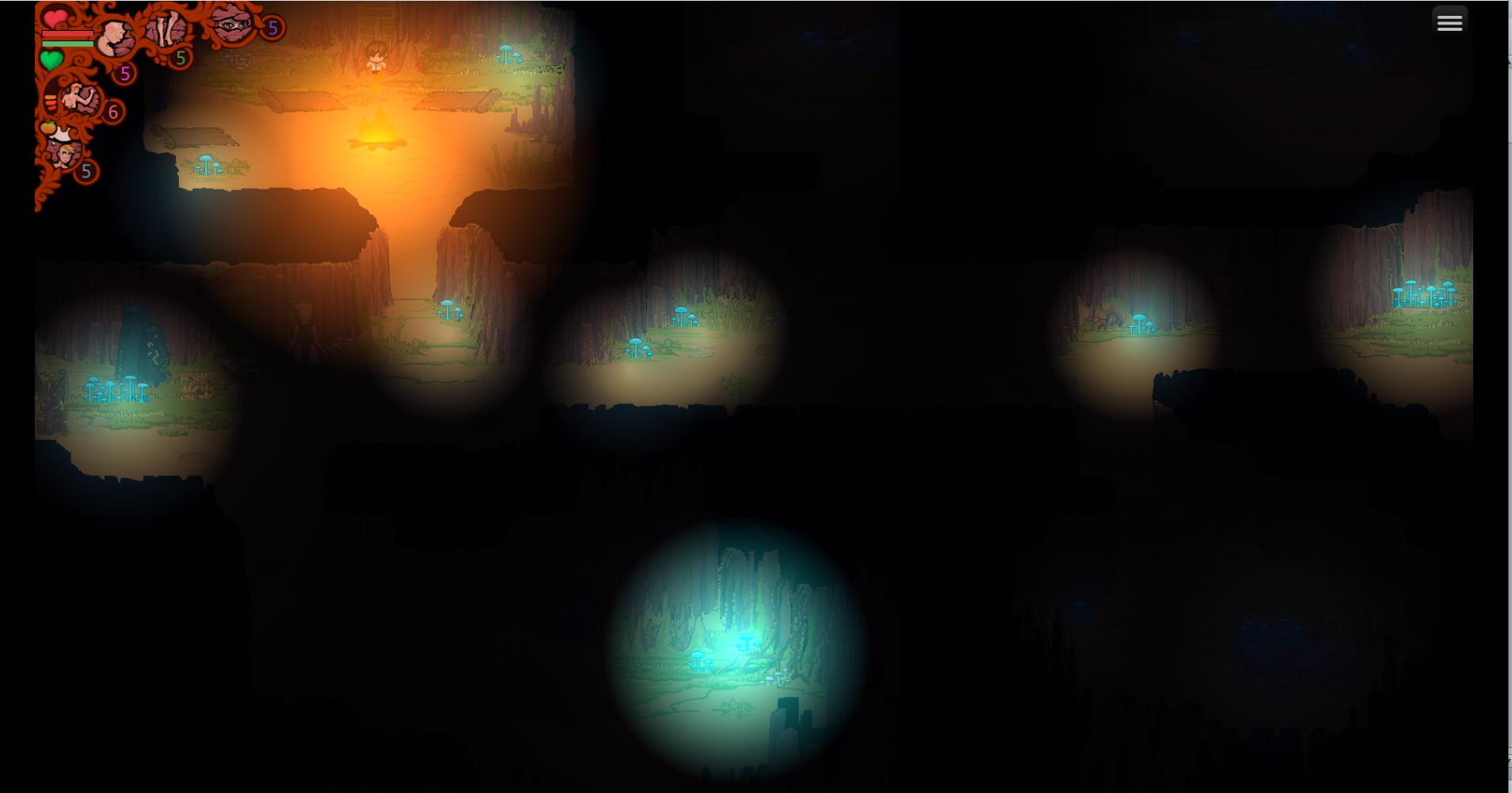
1 Yeah, it would be great to have a function that adds a blur or diffusion effect around the edges of a light source — to make its contour softer and more natural.
2 Sources:
phase 300 120 #E06502 #b64500 0.1 0.2 0 1
fire 120 #00FFFF 1 0.1 0.2 0 11
By the way, I’m not sure how important this is, but —
when trying to disable a light source with something like this:
fire 160 #00FFFF 1 0.1 0.2 0 21
nothing happens.
It seems that adding transparency via 0.1 0.2 and setting the coordinate with 0 somehow breaks the light ID disable system.
Or if you remove part of these parameters, the light source gets displaced incorrectly.
If you remove 0.1 0.2 0, then 160 #00FFFF 1 21 disables normally and nothing gets displaced.
94 days ago(+1)
Thanks for the heads up, it's probably a bug that I didn't see when I was doing my tests, this helps me make the plugin better for the future, thanks again!