

Grid widgets, like this example named "items":
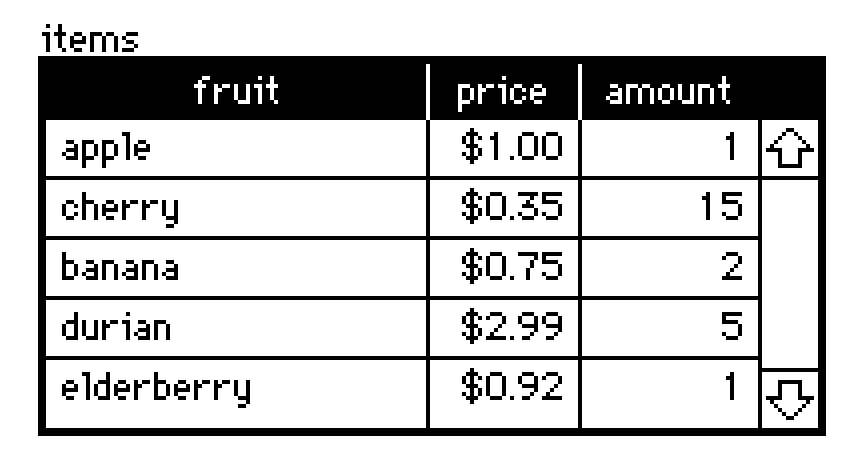
contain tables. You can read or write the table of a grid widget via the .value attribute of the grid. Tables can be indexed numerically (looking up rows) or by strings (looking up columns):
items.value
# +--------------+-------+--------+
# | fruit        | price | amount |
# +--------------+-------+--------+
# | "apple"      | 1     | 1      |
# | "cherry"     | 0.35  | 15     |
# | "banana"     | 0.75  | 2      |
# | "durian"     | 2.99  | 5      |
# | "elderberry" | 0.92  | 1      |
# +--------------+-------+--------+
items.value[3]
# {"fruit":"durian","price":2.99,"amount":5}
items.value.fruit
# ("apple","cherry","banana","durian","elderberry")
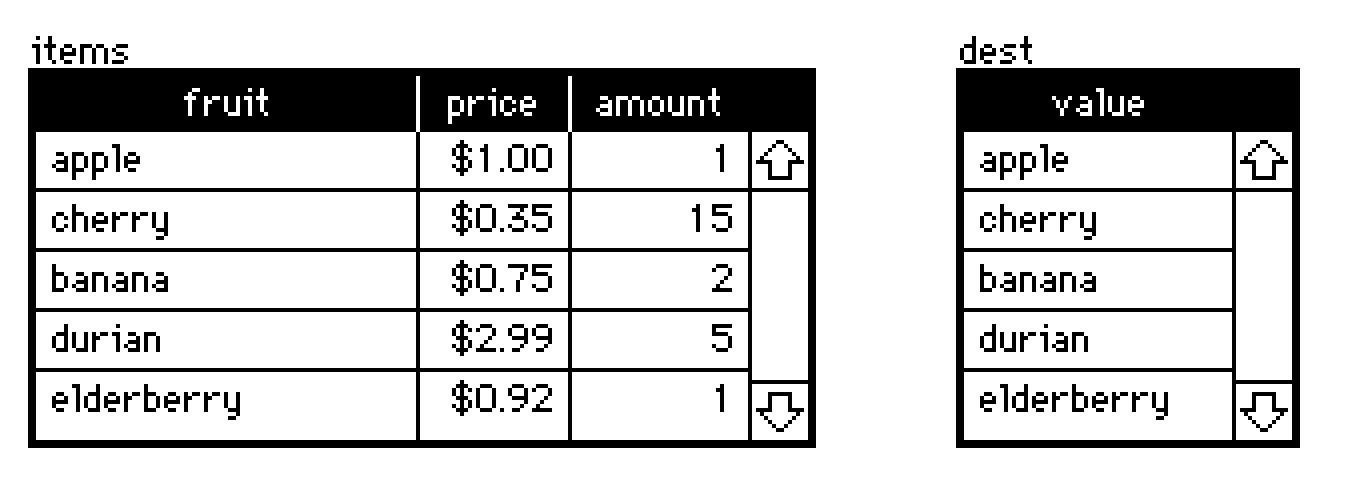
In the simplest case of populating another grid with a specific column of a source grid, assigning a list to the destination grid's .value attribute will implicitly cast it to a table:
dest.value:items.value.fruit
For more complex transformations of data, there's Lil's query language:
select fruit price where amount>2 from items.value
# +----------+-------+
# | fruit    | price |
# +----------+-------+
# | "cherry" | 0.35  |
# | "durian" | 2.99  |
# +----------+-------+
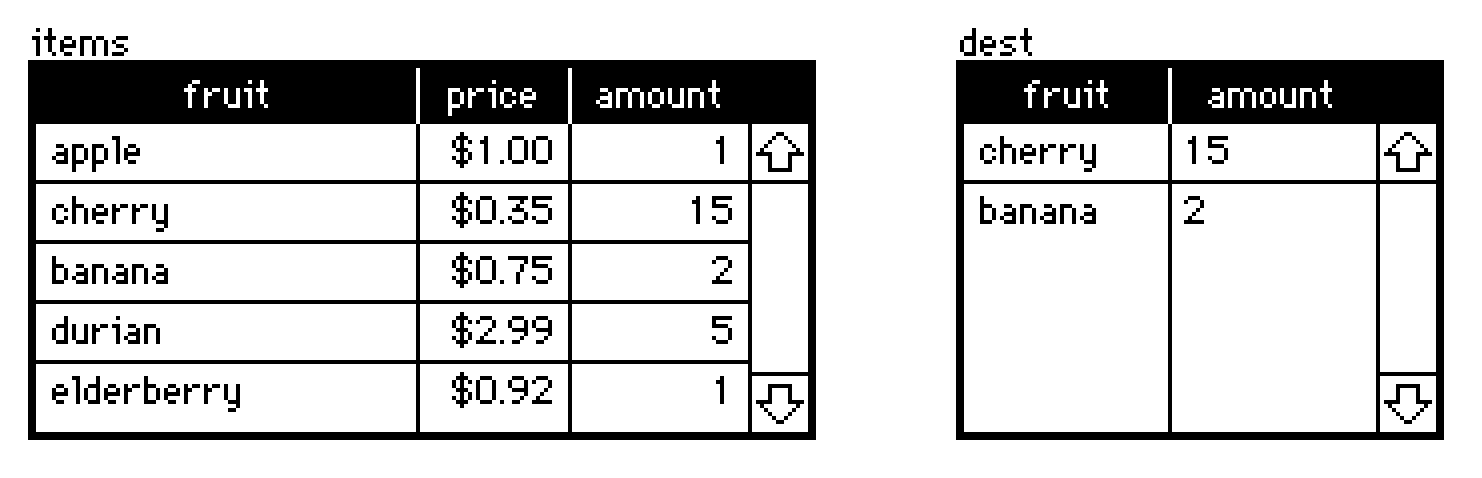
A query never modifies tables in-place; it returns a new table. Just like before, we can take the source grid's .value, query it, and assign the result to another grid's .value attribute:
dest.value:select fruit amount where fruit in "cherry","banana" from items.value
There are many examples of using queries on tables in the Lil reference manual section Lil, The Query Language. If you aren't using it already, Decker's Listeneris very helpful for trying queries interactively or generally testing out snippets of code.
Does any of that point you in a useful direction? I can try to furnish more specific examples of how to formulate queries for your project if you provide additional detail about how your data is organized.