
Indie game storeFree gamesFun gamesHorror games
Game developmentAssetsComics
SalesBundles
Jobs
TagsGame Engines

You can try:
type in adress bar chrome://flags/
search webgl

enable the top 2
restart, check again

Failed to download file Build/Beauty Clicker - Loona's Dreams.data.br. Loading web pages via a file:// URL without a web server is not supported by this browser. Please use a local development web server to host Unity content, or use the Unity Build and Run option.


but the only way i can run it through chrome is opening the index file through chrome?
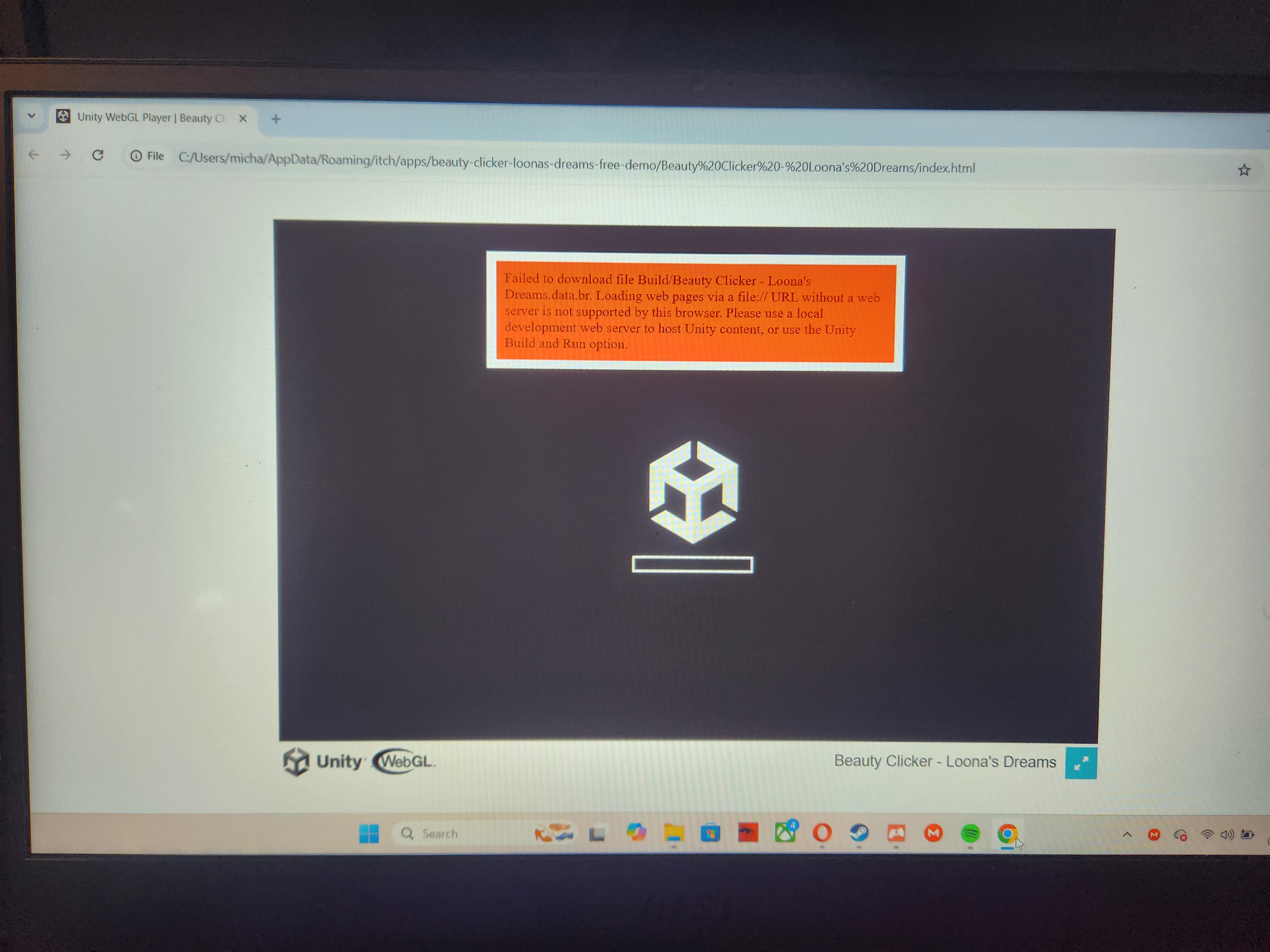
also did the steps you asked me to do

You can't run it locally, run it via the embedding on the website.

ok how please

Visit one of these diagnostic sites:

If these sites show errors or a black screen, WebGL isn’t working properly.

Your browser supports WebGL first link

✓ This browser supports WebGL 2

✓ This browser supports WebGL 1 second link

Clear Cache / Try Incognito Mode

  • Corrupted cache can interfere.
  • Test in Incognito/Private mode (disables most extensions).
  • If it works there, a browser extension (e.g., ad blocker, privacy tool) may be blocking WebGL.

i cleared the cashe and tried incognito mode and still the same message shows up

post a screenshot with showing the URL and the error message