Yeah, unfortunately it is an issue that I've only found with running the game on a browser. Sometimes there is a slight delay in the sound fx/audio and I never found a fix for it. The only "solution" there is, is playing the downloadable version which I now have added a Mac version.
bushafd
Creator of
Recent community posts
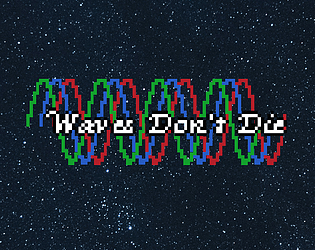
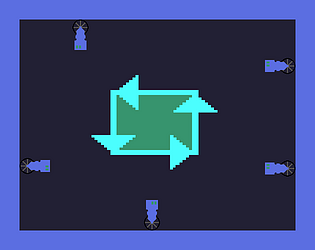
With the jam being over now, I've updated the game. I didn't change the timings at all, but instead I added two things to help give the player more information. I added lines to let the players know when to press and the wave particle now changes colors with each color representing a different state. Green lets the player know it is in slower speed, Blue lets the player know that the particle will change speeds soon, and Red lets the player know that the particle is faster. Also you were correct in your first point with the web version having issues, but it is related to the sounds, what I mean is that the song might be slightly delayed in the web version. I've noticed when playing on browser, the music sometimes doesn't perfectly align with the gameplay the way it normally does which I couldn't fix unfortunately.
I've added a new indicator for players to let them know when the rhythm inputs are coming. The wave particle now changes colors based on the state it is in, Green for slow particle, Blue for when it will transition states soon, and Red for fast particle. I didn't change the timing of the transitions, so they might still be too fast, but you will see them coming now when the particles are blue.
I've updated the game to help players deal with the changing of the rhythm sections. The wave particle now changes color depending on what rhythm it is in and if it will change. It now turns Green on slow speed, Blue when about to change rhythm soon, and Red on fast speed. If you have time, give the new changes a try.
Based on your feedback, I have updated the game to provide some help for both predicting the waves motion and give a visual cue for the player. I have added two black lines on each side to help the player know when to press. I've also made the wave particles change based on its state, Green for slow speed, Blue for when it is about to change speeds soon, and Red for fast speed. Looking out for blue will allow the player to predict when the speeds will switch.
Thanks for the feedback, some of your ideas helped me out. So I've added two things to help the player out, I've added lines on each side to help the player know when to press. I've also made the wave particles change based on its state, Green for slow speed, Blue for when it is about to change speeds soon, and Red for fast speed.
So with the voting coming to an end in less than a week, my submission Waves Don't Die has been met with pretty positive reception. But there has been one constant theme with the responses, that the game is too hard. To be honest, I didn't want my game to be easy, I wanted it to take at least a couple tries to pass as the inspiration for the game is Rhythm Heaven which is pretty difficult. But have I gone too far with the difficulty? While I do agree with the sentiment that I could have added more indicators for when the rhythm shifts, some have also told me to make the timing more lenient, give more visual cues on when to press, etc.
For more specifics, the input window for my game is 200ms for good, and 100ms for perfect, here is some information for the timing windows of other rhythm games for reference, https://zenius-i-vanisher.com/v5.2/thread?threadid=11990.
So here is my question to you, is my rhythm game really too hard? Give it a try if you want, https://itch.io/jam/game-off-2025/rate/4081859.
Also be sure to give some love to the artists because they truly made the game what it is.
Just uploaded the game to itch and submitted it. Check it out here https://bushafd.itch.io/waves-dont-die.
It's a rhythm game inspired by Rhythm Heaven and make sure to show some love to the artists that made this game possible because I definitely couldn't have done it without them.