So?
A member registered Feb 15, 2017
Recent community posts
RPG Maker Cook Tool Deluxe community » Tech Support » Bug Reports · Replied to AceOfAces in Test Build Fails
RPG Maker Cook Tool Deluxe community » Tech Support » Bug Reports · Created a new topic Test Build Fails
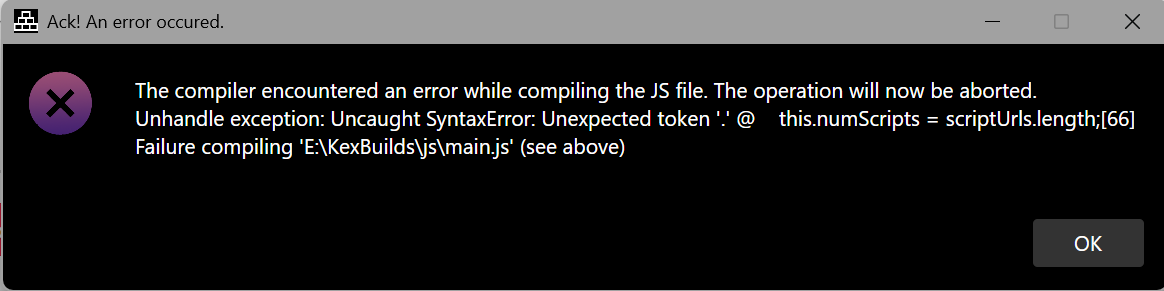
Hello, I am using the newest version of the cook tool (R6.02).
I get the following when trying to do a test build and using source code protection. The game black screens if I use both that and Encrypt Assets.
I am also unable to export logs.
Thank you for your work on this great tool and sorry for any trouble.
Edit: I managed to extract a log from the zip. I'll link the whole zip but here is the log:
2025-09-10 09:07:35.287 -04:00 [INF] RPG Maker Cook Tool Deluxe 6.2.0-release.20250910+af8ae1b1125bafc2db6fb32c3c08b13441816b4f started up.
2025-09-10 09:07:35.290 -04:00 [INF] Data validation is ready.
2025-09-10 09:07:35.290 -04:00 [INF] Registerring services...
2025-09-10 09:07:35.290 -04:00 [INF] Registerring HTTP Client Builder...
2025-09-10 09:07:35.291 -04:00 [INF] Registerring File Services...
2025-09-10 09:07:35.292 -04:00 [INF] Registerring Dialog Services...
2025-09-10 09:07:35.294 -04:00 [INF] Services registered.
2025-09-10 09:07:35.294 -04:00 [INF] Preparing main window...
2025-09-10 09:07:35.350 -04:00 [INF] Checking if the default settings file is present...
2025-09-10 09:07:35.351 -04:00 [INF] Found the default settings file. Loading...
2025-09-10 09:07:35.362 -04:00 [INF] File Loaded.
2025-09-10 09:07:35.362 -04:00 [INF] Checking if the default config needs an update.
2025-09-10 09:09:42.597 -04:00 [INF] Reading package.json to determine the folders...
2025-09-10 09:09:49.026 -04:00 [FTL] Exception!
System.ArgumentException: Directory must exist (Parameter 'fileSystemInfo')
at Avalonia.Platform.Storage.FileIO.BclStorageItem..ctor(FileSystemInfo)
at Avalonia.Win32.Win32StorageProvider.<>c.<OpenFolderPickerAsync>b__10_0(String f)
at Avalonia.Win32.Win32StorageProvider.<>c__DisplayClass13_0`1.<ShowFilePicker>b__0()
at System.Threading.Tasks.Task`1.InnerInvoke()
at System.Threading.ExecutionContext.RunFromThreadPoolDispatchLoop(Thread, ExecutionContext, ContextCallback, Object)
--- End of stack trace from previous location ---
at System.Threading.ExecutionContext.RunFromThreadPoolDispatchLoop(Thread, ExecutionContext, ContextCallback, Object)
at System.Threading.Tasks.Task.ExecuteWithThreadLocal(Task&, Thread )
--- End of stack trace from previous location ---
at Avalonia.Win32.Win32StorageProvider.OpenFolderPickerAsync(FolderPickerOpenOptions)
at Dragonhouse.RMCookToolDeluxe.GUI.Services.FileServices.OpenFolder(String)
at Dragonhouse.RMCookToolDeluxe.GUI.ViewModels.MainWindowViewModel.FindProjectFolder()
at CommunityToolkit.Mvvm.Input.AsyncRelayCommand.AwaitAndThrowIfFailed(Task)
at System.Threading.Tasks.Task.<>c.<ThrowAsync>b__124_0(Object state)
at Avalonia.Threading.SendOrPostCallbackDispatcherOperation.InvokeCore()
at Avalonia.Threading.Dispatcher.ExecuteJobsCore(Boolean)
at Avalonia.Win32.Win32Platform.WndProc(IntPtr hWnd, UInt32 msg, IntPtr wParam, IntPtr lParam)
at Avalonia.Win32.Interop.UnmanagedMethods.DispatchMessage(MSG&)
at Avalonia.Win32.Win32DispatcherImpl.RunLoop(CancellationToken)
at Avalonia.Threading.DispatcherFrame.Run(IControlledDispatcherImpl)
at Avalonia.Threading.Dispatcher.PushFrame(DispatcherFrame)
at Avalonia.Threading.Dispatcher.MainLoop(CancellationToken)
at Avalonia.Controls.ApplicationLifetimes.ClassicDesktopStyleApplicationLifetime.StartCore(String[])
at Dragonhouse.RMCookToolDeluxe.GUI.Program.Main(String[])
2025-09-10 09:09:49.031 -04:00 [INF] Session ended.
Log Zip File

Hello!
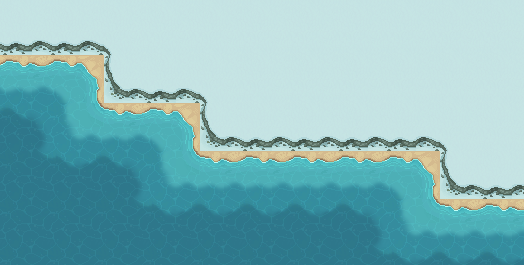
I love the Overworld tileset, thank you so much for your efforts.
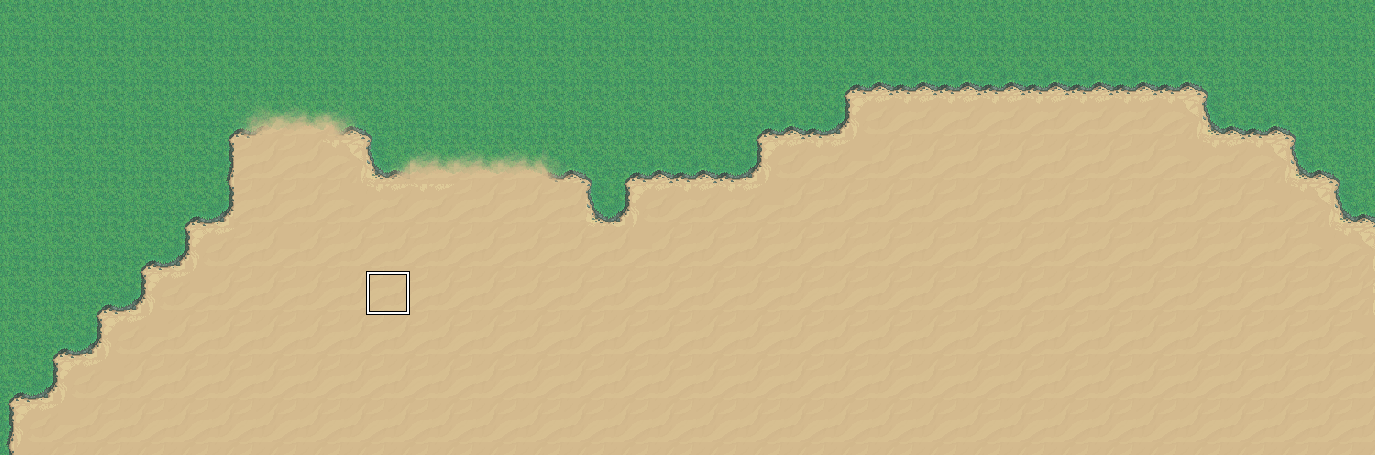
I am pretty new to RPGMaker in general but I was wondering how I use the tileset to get rid of the black edges to make the sand blend into the grass natively - or am I thinking about this the wrong way and the black edge is supposed to be there with the smooth transitions?
Thank you for your time!