Hi Hyperkvlt, just a follow-up 🙂 Live Brush version 2.0.0 can now store created brush sets, with live previews and import/export support.
Feel free to check it out if you’re interested. Thanks!
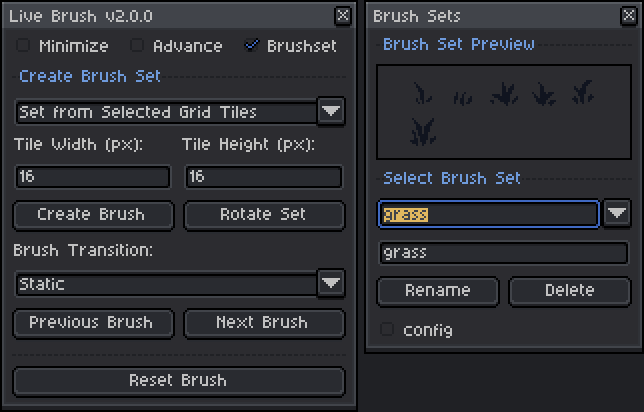
Hi smaiderman, just a follow-up 🙂 Live Brush version 2.0.0 can now store created brush sets, with live previews and import/export support.
Feel free to check it out if you’re interested. Thanks!
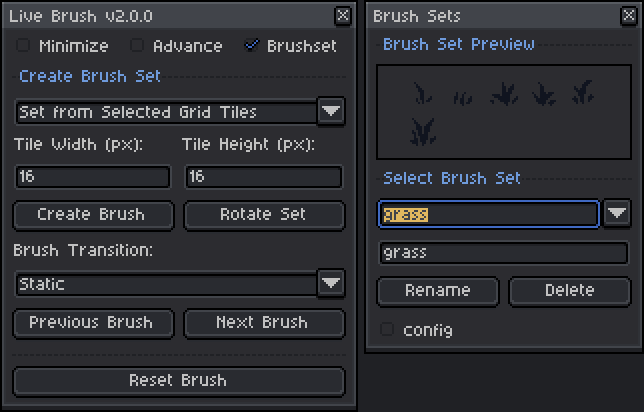
Hi Tbage, if I understand correctly, you mean randomizing the brush image per spray particle so multiple brushes are sprayed at once. That’s something I’ve already thought about, but unfortunately it’s not possible right now due to Aseprite API limitations, the Spray Tool doesn’t expose enough control to modify particles individually. If the API improves in the future, I’d definitely love to add this. Thanks for the suggestion.
Hi Nohazure, thank you for your patience and understanding. I wanted to let you know that I’ve created and uploaded a new patch update for Tweencel (v2.2.2) to address the color tweening issue on the latest version of Aseprite (v1.3.15).
You can now download the updated version, and it should work smoothly with the new Aseprite release.
Thanks again for your support!
Hi Chroniker99, thank you for your patience and understanding. I wanted to let you know that I’ve created and uploaded a new patch update for Tweencel (v2.2.2) to address the color tweening issue on the latest version of Aseprite (v1.3.15).
You can now download the updated version, and it should work smoothly with the new Aseprite release.
Thanks again for your support!
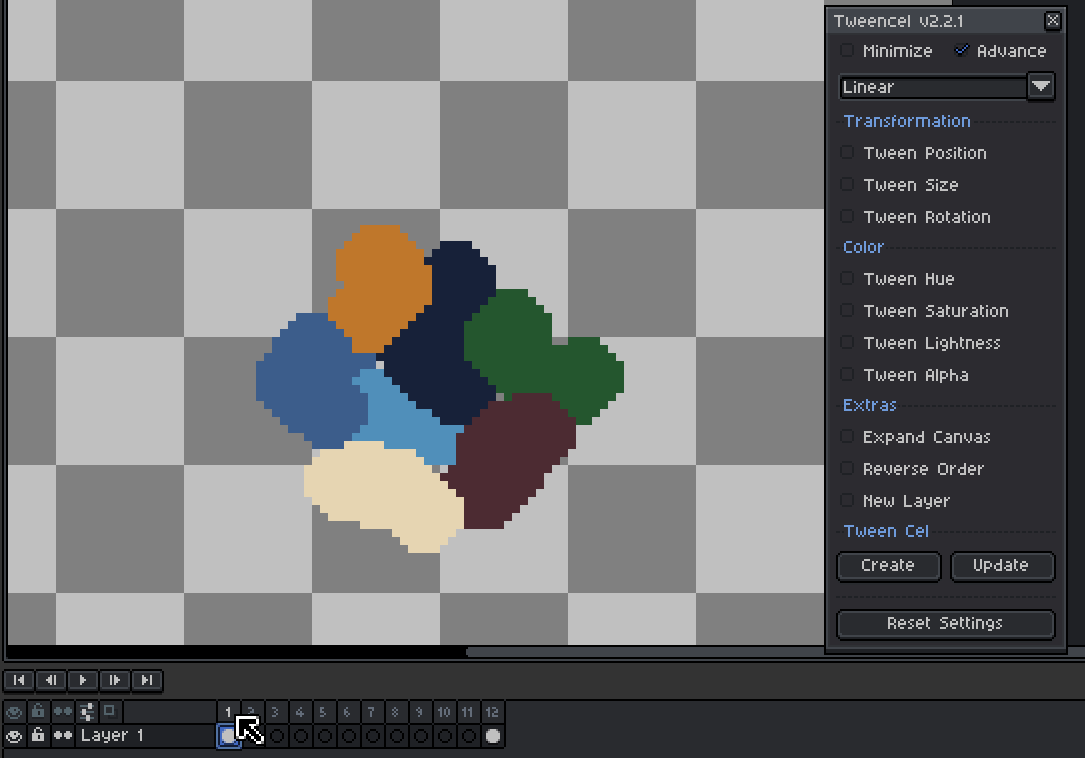
Hi Werzaque, I tested your exact setup on my end using both Aseprite v1.3.15.5 and Aseprite v1.3.14-beta1 to confirm, and Tweencel is generating the correct in-between frames.
Here’s the setup I used:
The tween interpolated the movement correctly from Frame 1 to Frame 12.
I also recorded a GIF demo to show how it looks on my end. https://postimg.cc/3ycWCZG5
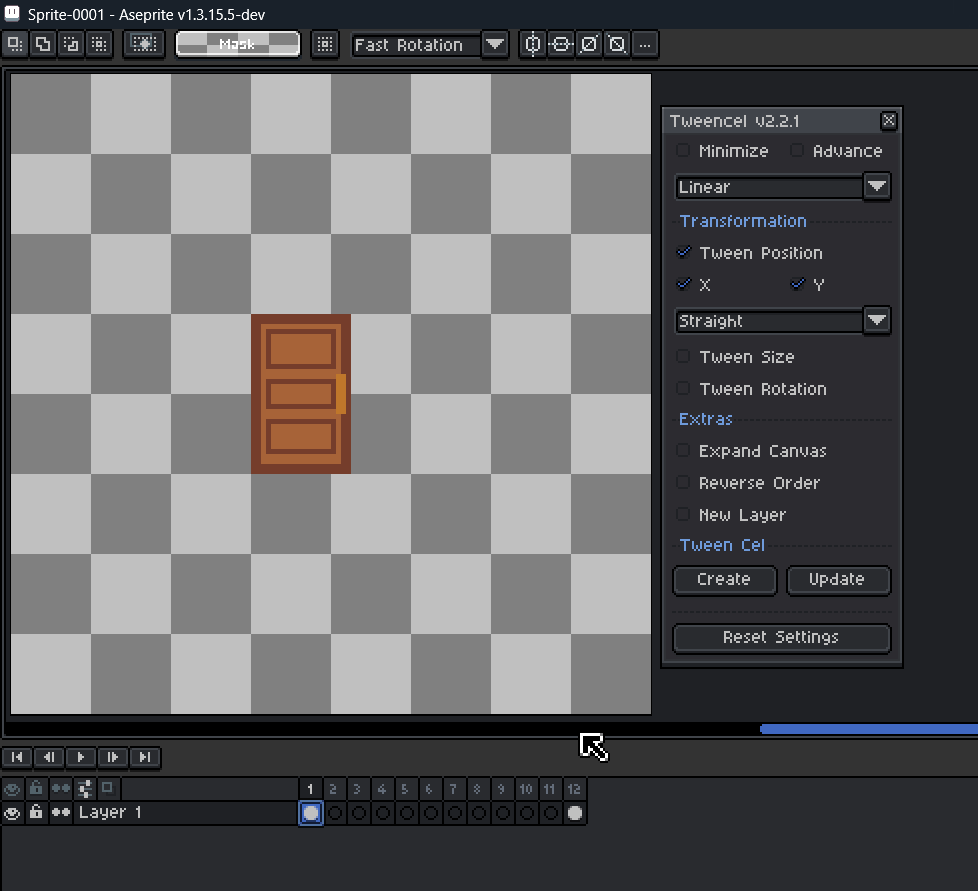
Since things are working correctly here, your setup might be behaving differently for a reason I can’t see yet.
Could you share a short GIF of how you’re doing it on your side? And also let me know which Aseprite version you’re using?
Seeing your exact steps will help me understand what’s causing the different result.
Thanks again for reporting this, I appreciate your help in improving the tool!
Hi werzaque, thanks for the detailed explanation. The setup you described is actually correct. It should read the cel in Frame 1, read the cel in Frame 12 (offset 45px), and generate proper in-between frames that smoothly interpolate the movement.
Since I’m currently away from my computer, I can’t test this exact case right now, but based on recent reports from other users, this behavior may be related to Aseprite version changes.
Tweencel was developed and tested on Aseprite v1.3.14-beta1, and some changes introduced in v1.3.15 may affect how cel positions are read by scripts. If you’re on 1.3.15 or higher, this could explain why the interpolation is incorrect.
When I get back to my machine, I’ll test your exact scenario and update Tweencel if needed.
In the meantime, could you let me know which version of Aseprite you’re using? That will help me confirm whether it’s a version-related issue.
Thanks again for reporting this, your feedback is a huge help.
Hi onisilux, thanks for reaching out, and I’m sorry to hear you’re having trouble.
It looks like the issue may be due to how the plugin was installed. Aseprite extensions are different from standard .lua scripts. they won’t work if placed in the Scripts folder or opened directly as .lua files.
To install this plugin correctly, please try the following steps:
There are two ways to install the extension in Aseprite:
For more details, see the official Aseprite documentation: https://aseprite.org/docs/extensions
This extension was developed and tested with Aseprite v1.3.14-beta1(as of writing). Some features may not work as expected on older versions (v1.2) or the latest version (v1.3.15).
If you can confirm your Aseprite version and reinstall the extension using the steps above, I’ll be happy to assist further.
Hi Chroniker99, thanks a lot for sharing the report and the video! 🙏
This might be related to how Aseprite handles color data between frames.
I’ve tested Tweencel on Aseprite v1.3.14-beta1, so knowing your version will help me check if it’s a compatibility issue. Could you let me know which version you’re using? I’ll try to reproduce it on my end and see what’s causing it.
Hi PokeRen, thanks for pointing it out. I’ve tested it on Aseprite v1.3.14-beta1 and everything seems to be working fine on that version. I’ll check it on the latest Aseprite build to see if something might’ve changed. Rest assured, I’ll make sure to release an update if there’s any compatibility issue.
Could you let me know which exact version of Aseprite you’re using? That’ll help me reproduce the issue more accurately.
Hi Nohazure, thanks for the feedback! 🙏
The lag or “stuck” feeling when adjusting the alpha bar happens because the slider directly updates and applies the image alpha in real time. I recommend clicking along the slider instead of dragging it to quickly jump to your desired value.
Also, unchecking “Tween Alpha” will undo the alpha changes on the currently selected cel image.
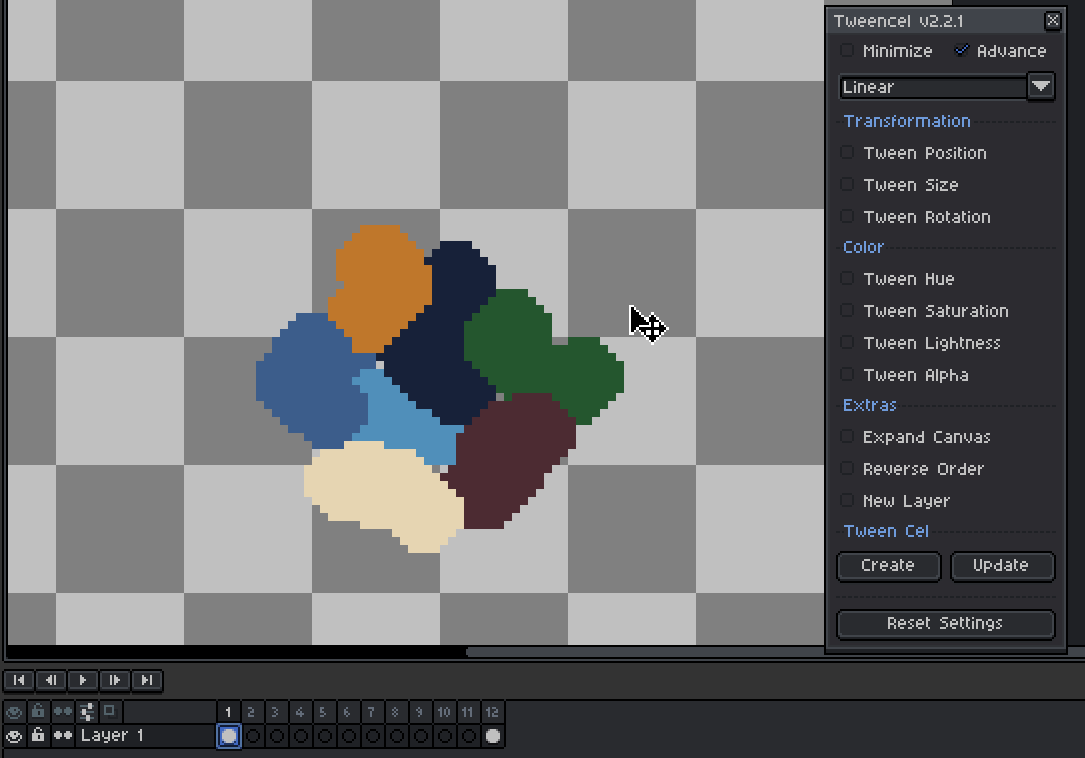
https://postimg.cc/9rczRK79
When you select an entire layer, the alpha update is applied to all cels in that layer.
So if you only want to fade a specific cel, make sure to select that cel only before changing its alpha.
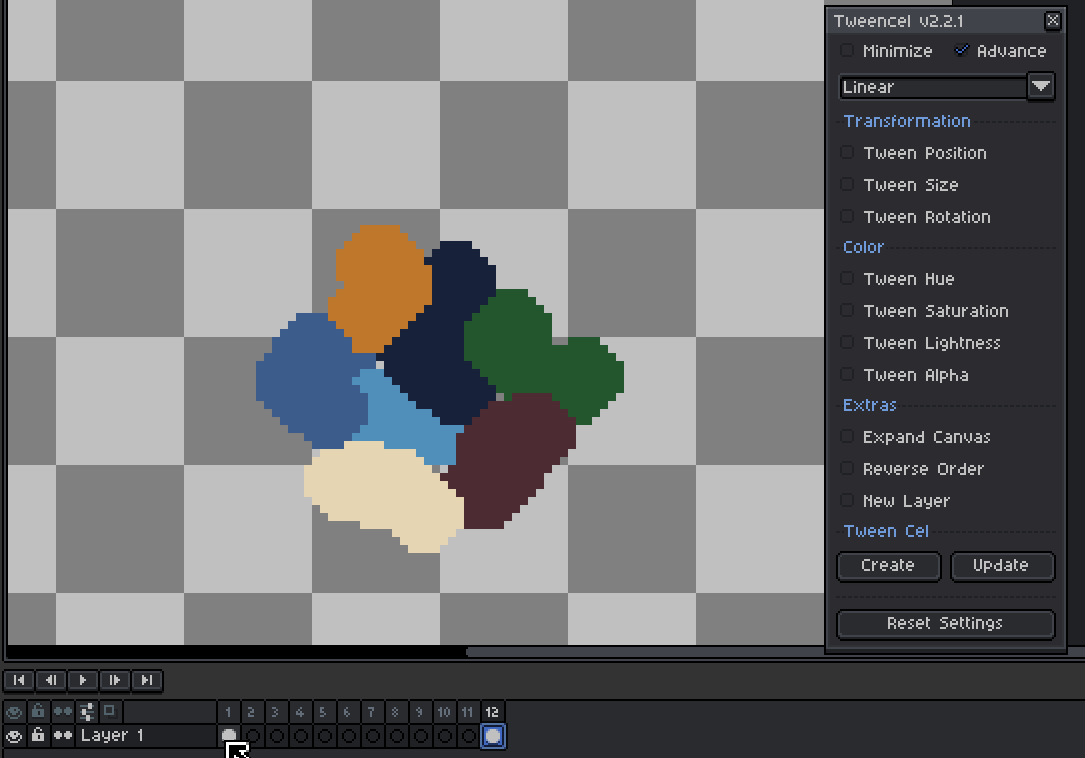
https://postimg.cc/N509CZjj
https://postimg.cc/t1d44z4h
edit: added GIF link for the demo. seems like gif no longer works in the comments
Hi kumniver, thanks for trying it out and for sharing your experience 🙏 I understand how frustrating it can feel when the result doesn’t match the examples.
Could you share a short video or GIF of what’s happening on your end? That way I can properly assess the situation and see what might be causing it.
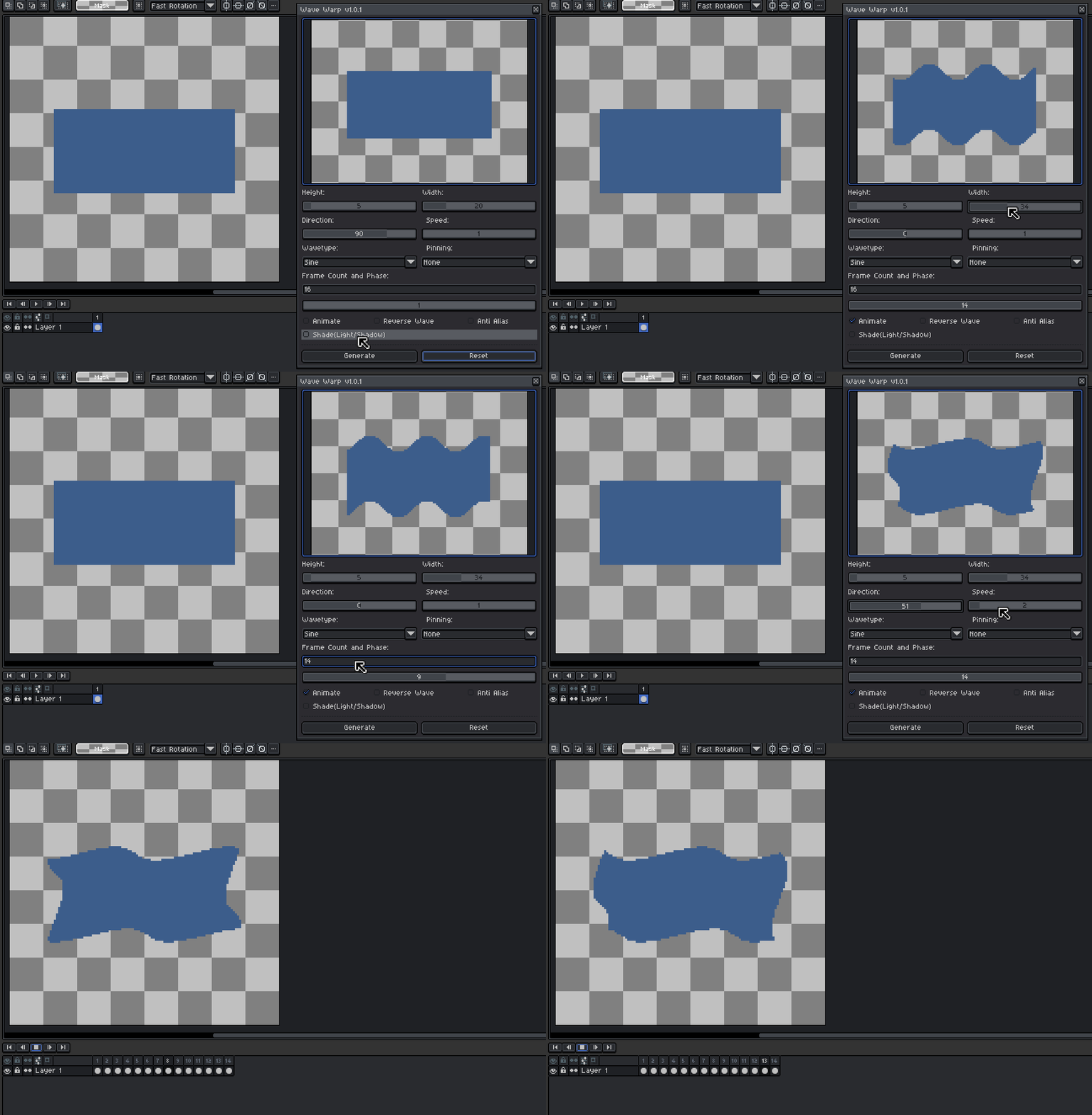
Hi Usajyx, thanks for the feedback! I tested it on my end and the loop looks fluid (after adjusting width, speed, frame count, and direction), but it might depend on the setup. Could you share how you’re using it so I can check what’s going on? Just a note: only the ‘smooth noise’ wave type won’t loop seamlessly since it’s assigned randomly.
Hi! I'm not exactly sure what you mean, but just to clarify, Live Brush lets you create custom brush sets from a collection of images, but it doesn't store those brushes permanently.
Instead, you can save your collection of images and use them to recreate a custom brush set whenever you need it for a project.
Live Brush can be used with the Spray tool, but if you're asking for each spray particle to randomly pick a brush from the set, that's something I plan to add in the future. Right now, it's not possible due to API limitations. As for a UI to browse brushes, that’s an interesting idea, I’ll consider it
Hi heosphorus, it will only draw by itself if the start drawing button is active. And as for the current version youre not suppose to click the mouse, instead you use the 'start drawing' button to draw(can be controlled with a hotkey number 2). if its still drawing even if 'start drawing' button is not active, maybe try restarting Aseprite.
Hey TLiad, thank you so much for your feedback and kind words—it means a lot! I'm glad that everything is working perfectly with version 1.4. 😊
Regarding version 1.3, I appreciate the heads-up about the transitions not working as expected. It's great to know that the static option worked, but I'll make a note to double-check those features in case they need further tweaking.
Now to your suggestions:
Thanks again for your thoughtful suggestions and support. It’s feedback like yours that keeps me motivated to improve these tools! And shoutout to Carbs Code for all their incredible contributions as well😊
Hi TLiaD, thank you for the support and feedback
For transitioning of the brushes from the set, you can choose the 'forward' instead of 'static' in the dropdown so that it will automatically iterate to the set of brushes going forward. The static is for you to manually switch the brushes, you may also use a hotkey 'space + q' or 'space + w' for previous and next button.
Regarding the extension not appearing both in the menu, ill have to check on that why it wont appear. But for now, please make use of the hotkey(Edit > Keyboard Shortcuts) to open both.
Space + L for Live Brush
Ctrl + L for Live Draw
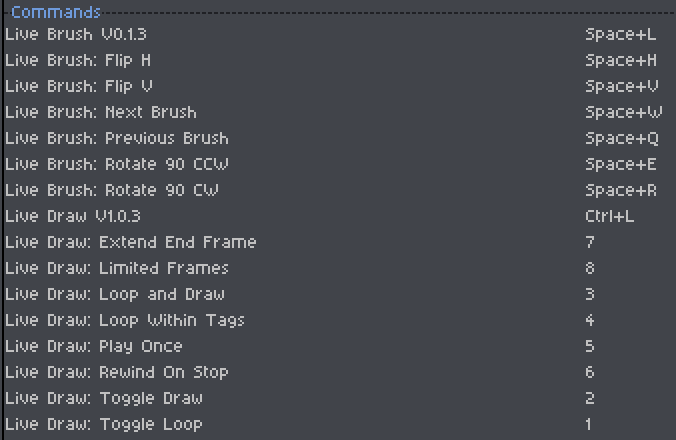
Please let me know if that helps.