
Indie game storeFree gamesFun gamesHorror games
Game developmentAssetsComics
SalesBundles
Jobs
TagsGame Engines

Hey Fatedframer, what are you running the game on? The game is currently only compatible with 64-bit Windows computers due to the encryption method I use. Learning other encryption methods is on my to-do list, but it has been difficult, especially since I only have a 64-bit computer myself. 


To full screen the demo, select settings (The top right button) on the home screen, and the top left button of the settings menu sets the game to full screen. You can also do this after selecting new game by hitting the button in the top left of the screen after the game begins. 
Hi, sorry I couldn't reply. I'm a little confused as that is what my laptop is, 64-bit windows, however I will happily wait for an update to see if it is fixed - these things seem to happen beyond my understanding sometimes. I did download the demo and that worked though.

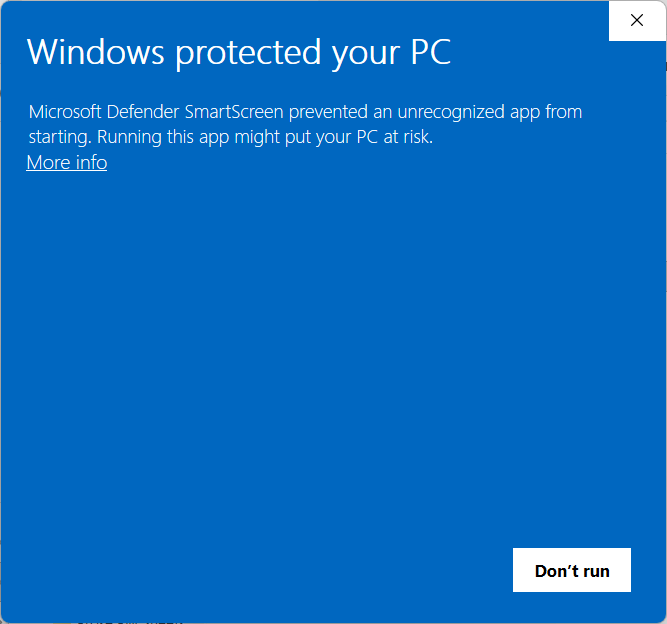
I'm glad the demo works! We just uploaded the update! Make sure you unzip the download, and if you're getting this blue screen (Photo attached) you can hit "More info" to try running the game.  

I hope it works!

It works!! I'm still not sure what exactly it was as I was messing around with my laptop's settings prior to downloading the update too but whatever it was worked out, thank you for your replies.

Awesome! I'm really glad it works now!