

Hi! Resources produced vs. consumed is already visible on the top-right panel in parentheses.
A member registered Dec 06, 2024 · View creator page →
Creator of
Bring your maps to life with dynamic reflections!

An incremental city builder about growing a thriving metropolis.
Simulation
Play in browser
A short, incremental game about killing zombies (and not humans).
Shooter
Play in browser
Easily give your games an accurate, pixel-based collision system.
Single key full-map captures.
Build NPC relationships through a visual interaction wheel and no dialogues!
Show floating icons above events or the player.
Create idle/clicker games in days!
Remove the player entity from RPG Maker MZ.
Play a looping sound while dialogue text is displayed.
A fully visual dialogue system for RPG Maker.
Add a simple, plug-and-play farming system to your game!
A Quick Time Event fishing mini-game plugin
Cinematic character selection with animated sprites and customizable UI.
Seamless map transitions with smart preloading and customizable loading screens.
Interactive fishing minigame for RPG Maker MZ with perks and rotating fish icons.
Customizable dice gambling minigame plugin for RPG Maker MZ
A first-person shooting minigame to RPG Maker MZ!
Run in browser
Automatically keeps your games from crashing!
Run in browser
Summarize your player's day with a clean results screen.
A complete crafting and skill progression framework.
Plug and play challenges to level up your game.
A complete stat system for survival and life sim mechanics
Design cinematic RPG cutscenes with total control.
Build dynamic, resettable, category-based loot with one plugin command.
Guide your players through any system with ease.
Advanced Control with Proximity SFX and Seamless Ducking
Intelligent NPC interactions made simple and meaningful
Streamline your inventory with smart weight limits, real-time warnings, and effortless item management
Daily behavior system for NPCs
Arrow-based navigation solution
Plug-and-play time, days, and seasons
Runtime Blocking for Events & Puzzles
Total menu control for RPG Maker MZ


A chaotic bartending game where the night shift spirals into something you weren’t trained for.
Action
Play in browser
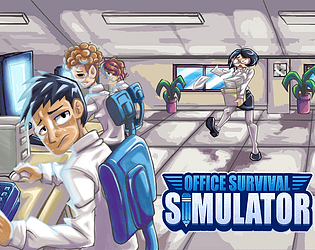
Navigate the chaos of corporate life in this hilarious time-management RPG.
Strategy

Build a brand-new library in a quaint village and revitalize the community in this cozy library-management game!
Simulation