

Sure, I'll add you on discord.
A member registered Dec 30, 2017 · View creator page →
Creator of
Recent community posts
itch.io Community » itch.io » Questions & Support · Replied to unTied Games in Gif's suddenly not animating
itch.io Community » itch.io » Questions & Support · Replied to unTied Games in Gif's suddenly not animating
itch.io Community » Game Development » Help Wanted or Offered · Created a new topic [Pixel Art] [Zelda-like/Puzzles] [1-2 week jam]
I played a free game last night, felt revived. Simple art, controls, gameplay, but genuinely a polished puzzle zelda-like. Although this game is bigger than a game jam, it feels like it has a lot of the game jammy design I'd like to do art for someday if people want to pair up.
Screenshots:
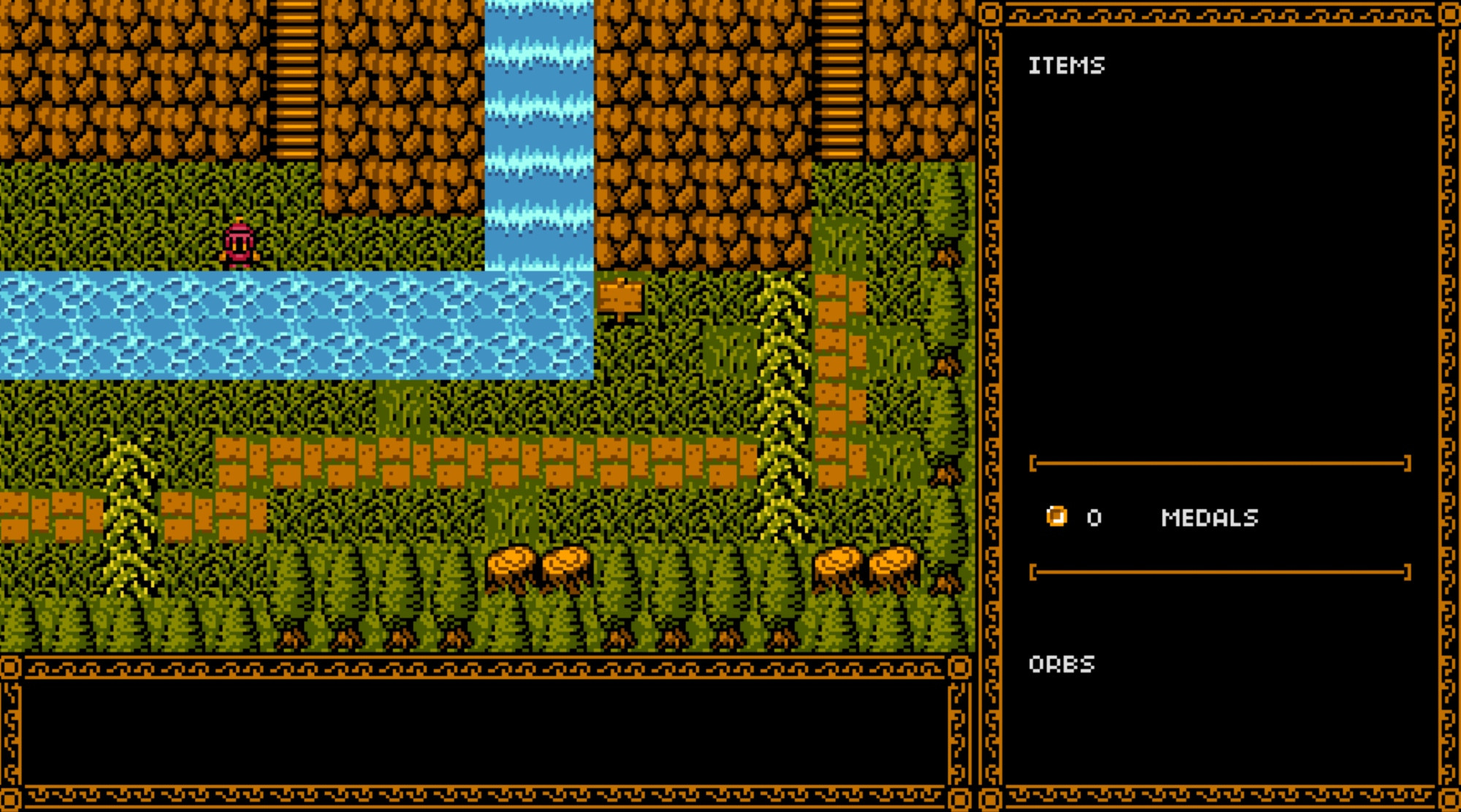
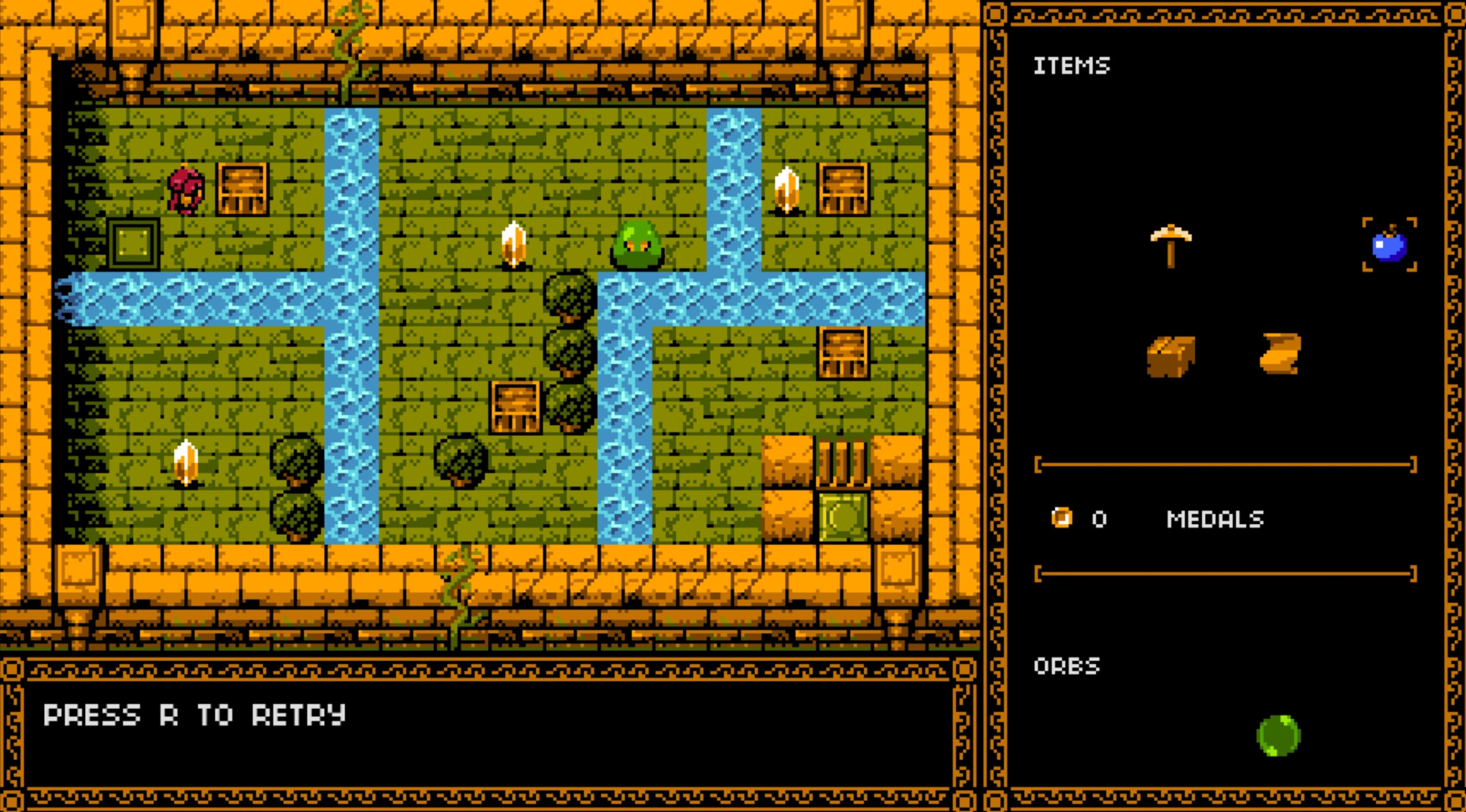
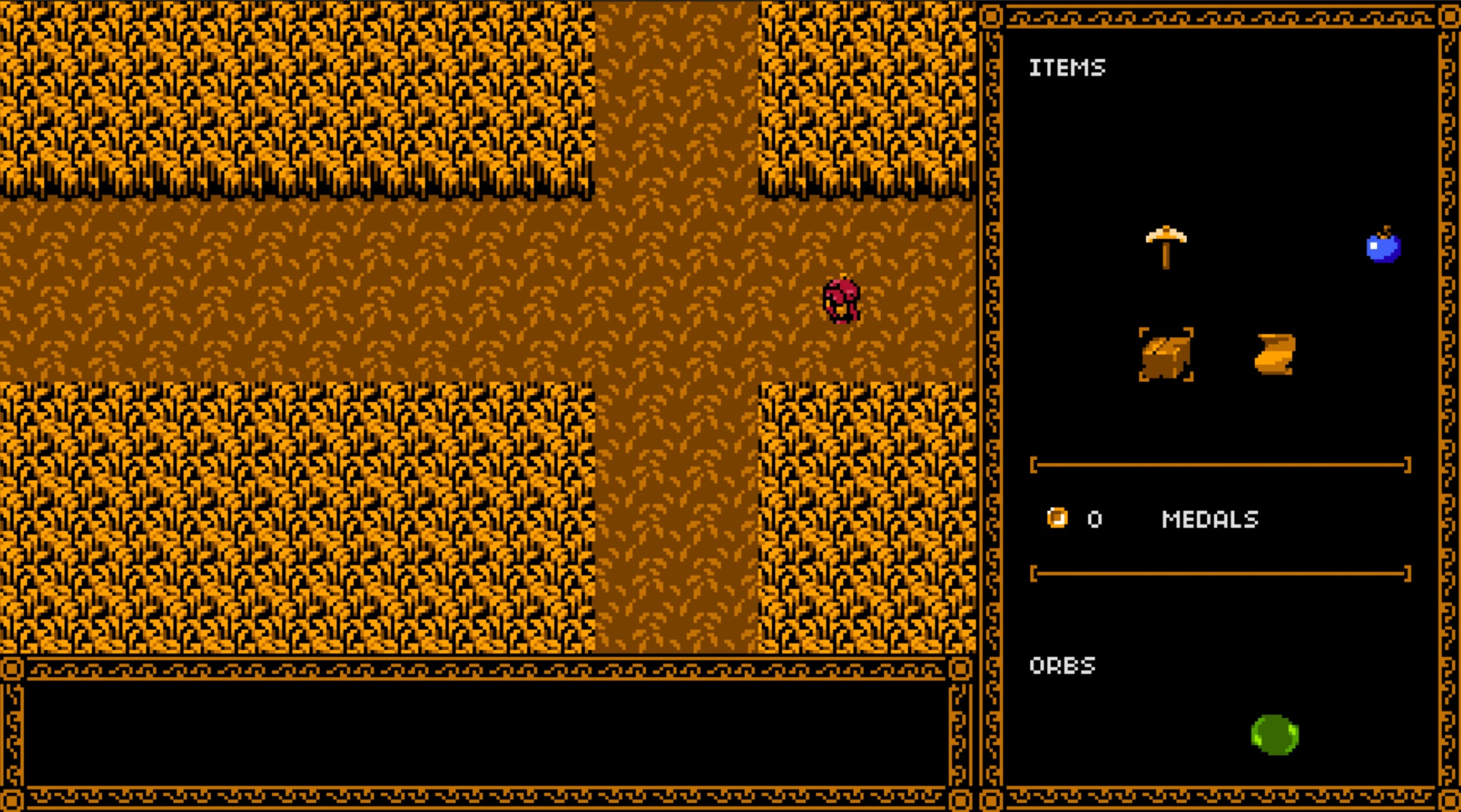
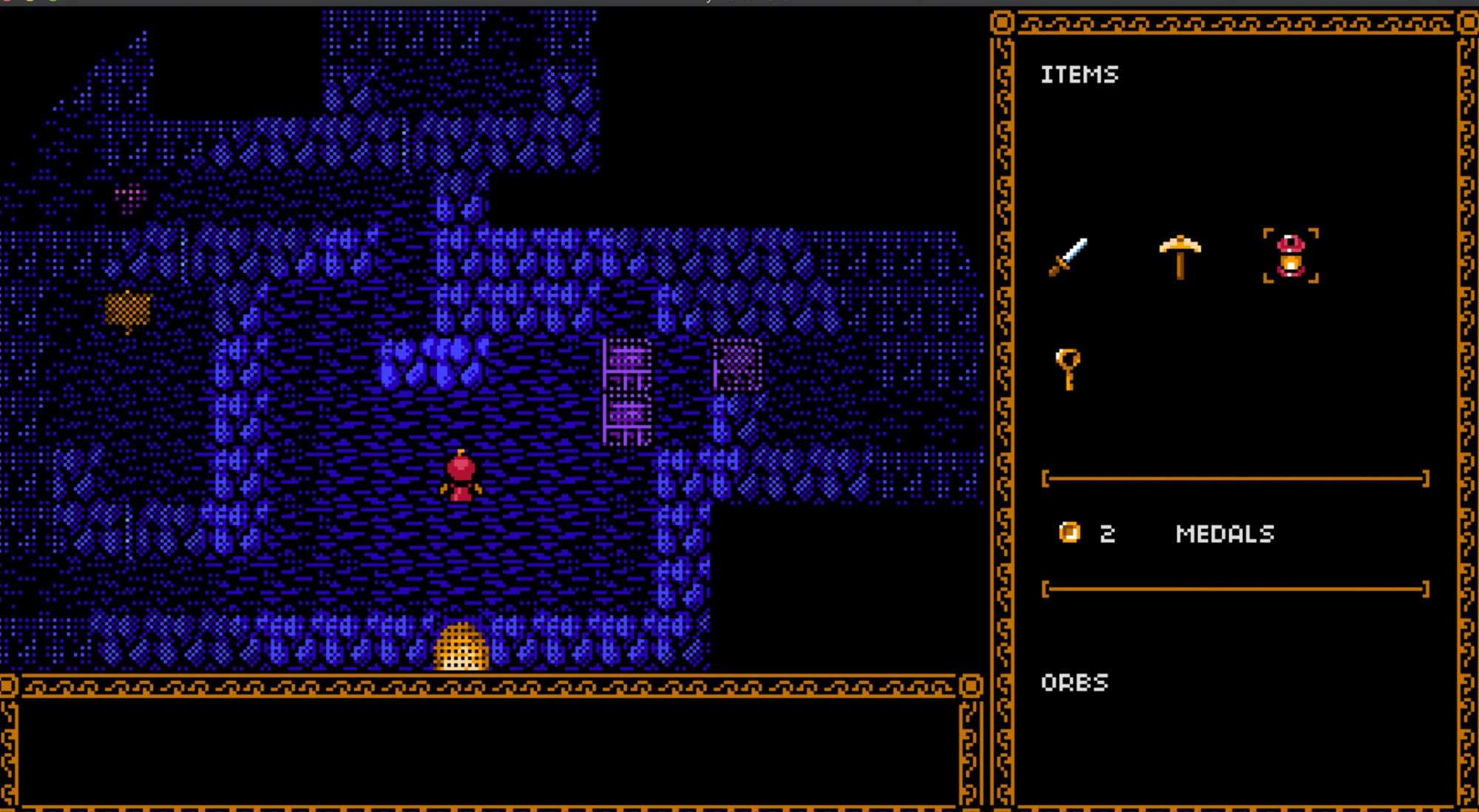
Game link: https://ansimuz.itch.io/a-meta-data-game
My art portfolio: https://cara.app/imonk
Currently I'm thinking about a game where you get turned into various monsters and it's technically not what the protagonist wants, but in terms of gameplay the monster abilities are useful to progress. It could be worth a try.
itch.io Community » Creativity & Art » 2D Art · Created a new topic Pixel Tutorial - Creating Pixel Art Mockups
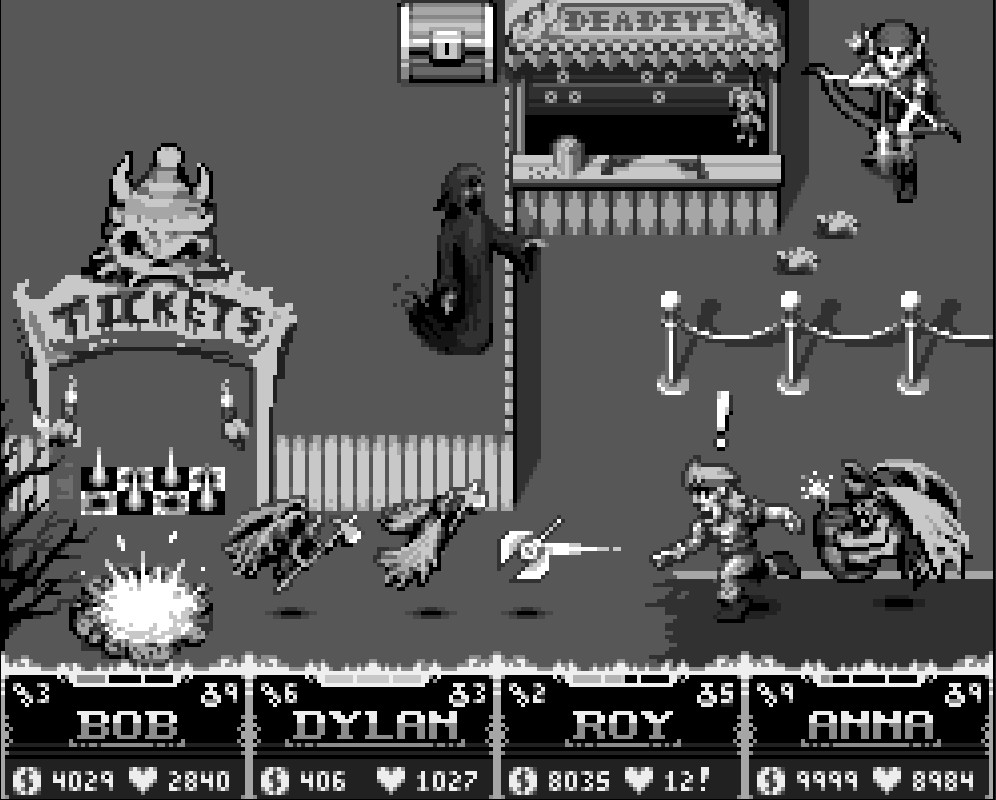
Hey everyone. Today I want to talk some fun pixel art stuff: mockups. I started 2 new ones and completed a total of 3 this December with just Aseprite and a mouse! And free time because I'm currently unemployed, but nothing fancy. They are these mockups here:
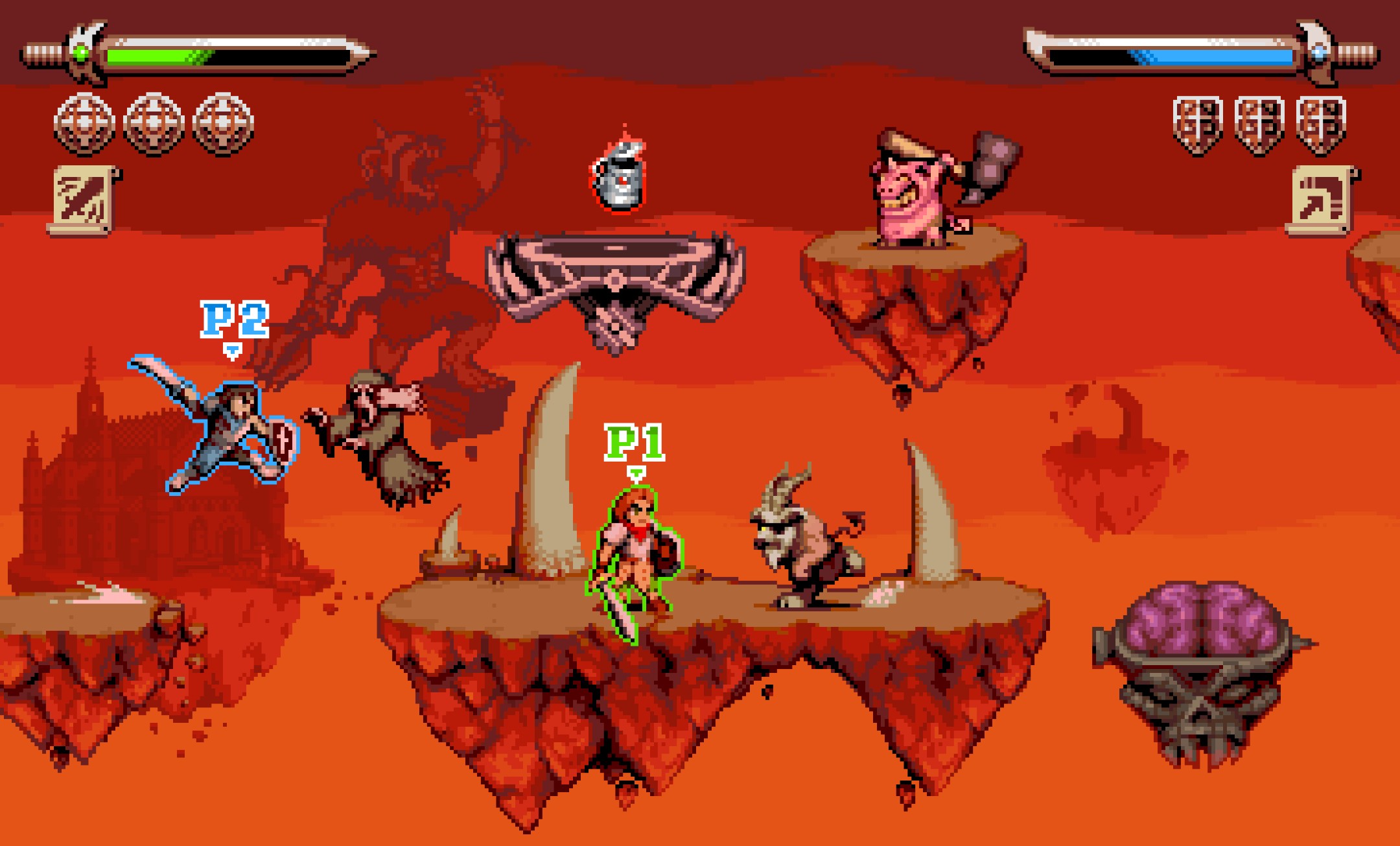
Maximo: Ghosts to Glory - Hell stage
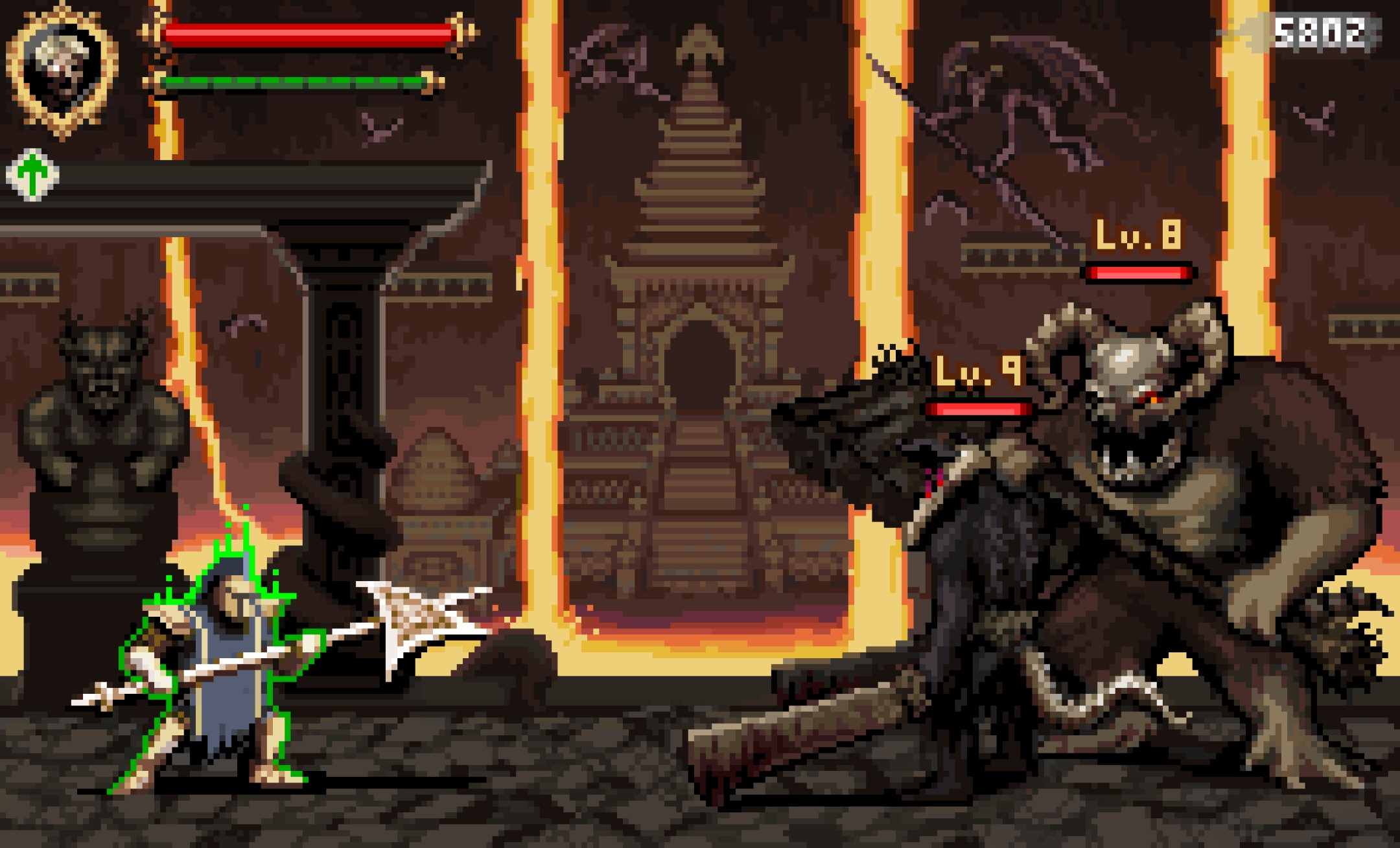
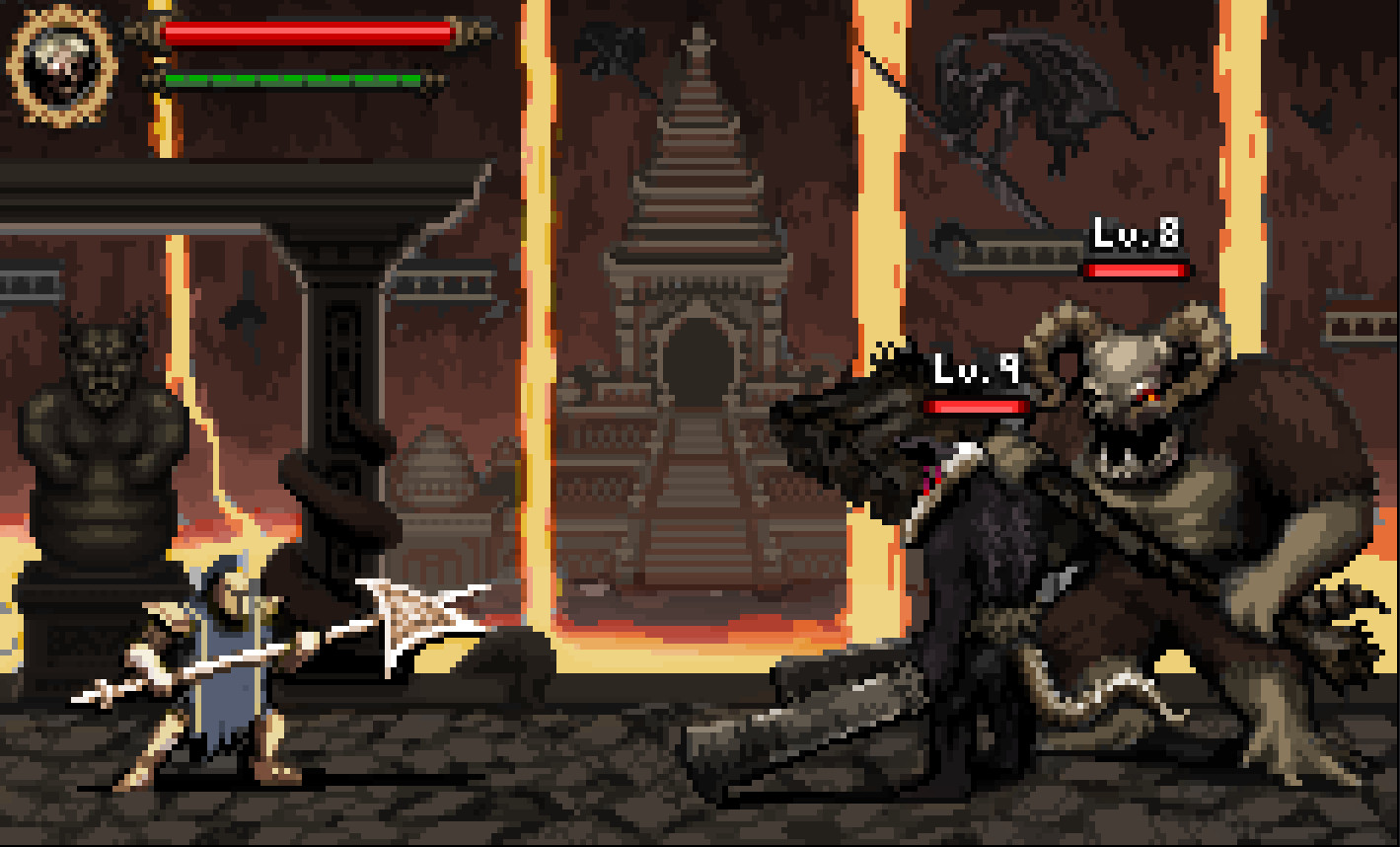
Dark Souls - Lost Izalith level

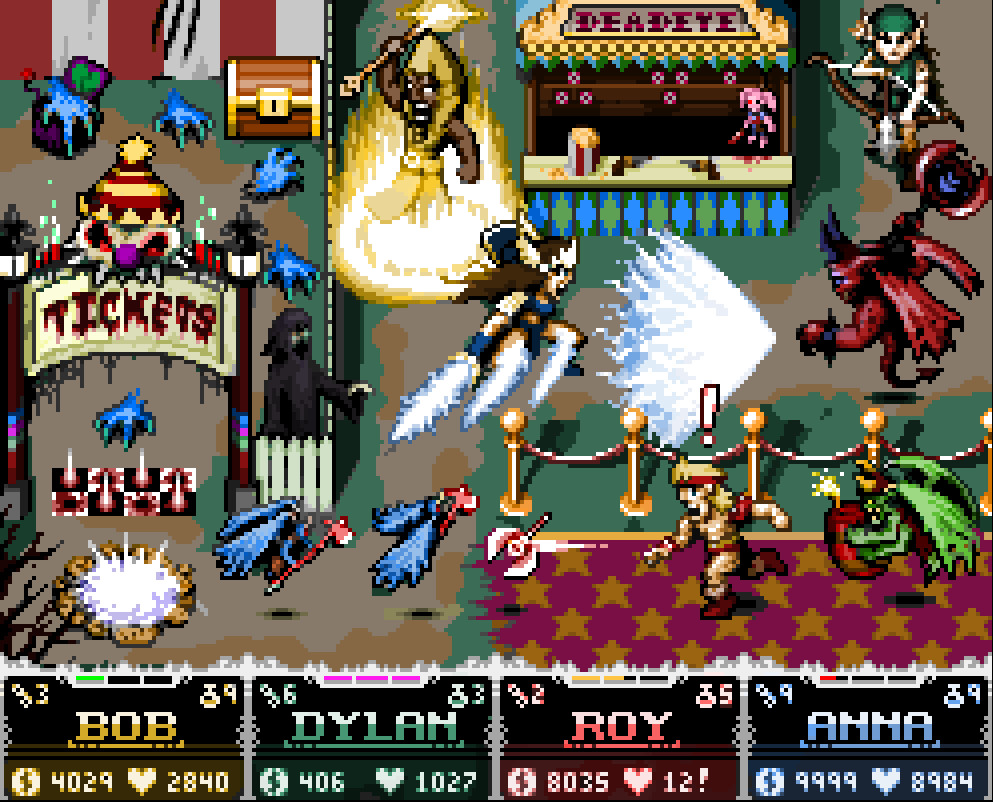
Gauntlet Dark Legacy - Carnival Level
So how do I make these so fast? In short, years of practicing with pixel art and a mouse, but I have some tips anyway.
Brainstorming
To be honest for these mockups, most of the brainstorming is already done, because these are inspired by actual games that exist already. I just create the fan art in pixels by picking and choosing things from the game I want to show. But it's still important to brainstorm and decide what elements are most important and which are less important because more often than not, since art mockups aren't actual full games with the camera moving around to view entire levels or see a lot of the game, the canvas space can be limited and you'll have to find a way to cram the key ideas in. Sometimes I'll have an original composition that just doesn't work so I'll have to change it, scrap some things, or alter the arrangement of sprites on the screen. But I usually think it's important to have at least one player, a few enemies, UI elements, and environmental elements that represent the game or level or whatever idea you're trying to get across for the game. To me, a mockup can't exist without those, but all the other extra details are often just spontaneous ideas I end up including for fun, if they fit in the mockup.
Value Sketching
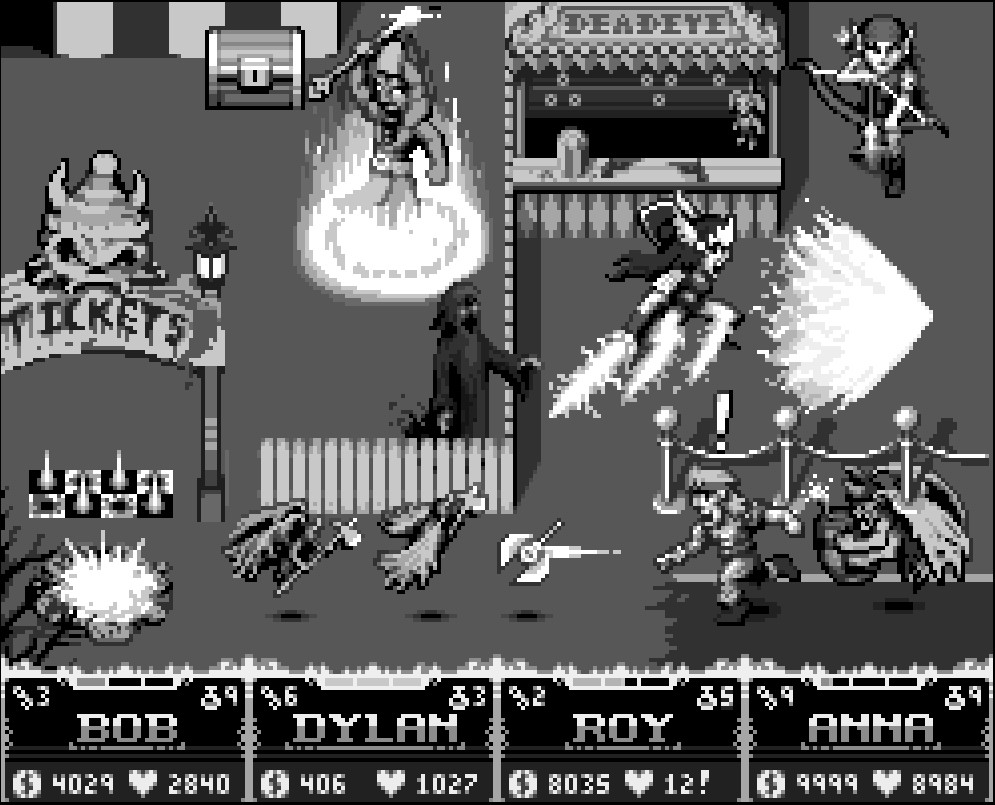
It's not absolutely necessary, but I'm trying an art strategy to see if it helps me draw a bit faster, but so far I'm finding this process useful. I will start with a grayscale sketch of the mockup, absolutely no colors, or at least monochrome. The focus of this planning phase is to just get all the details planned out on screen with correct enough shading, but doesn't have to be perfect. Trying to get the colors down early before having the shading planned out kind of just stresses me out so I hold off on colors until later.
Using as many layers necessary, I'll do something like this first
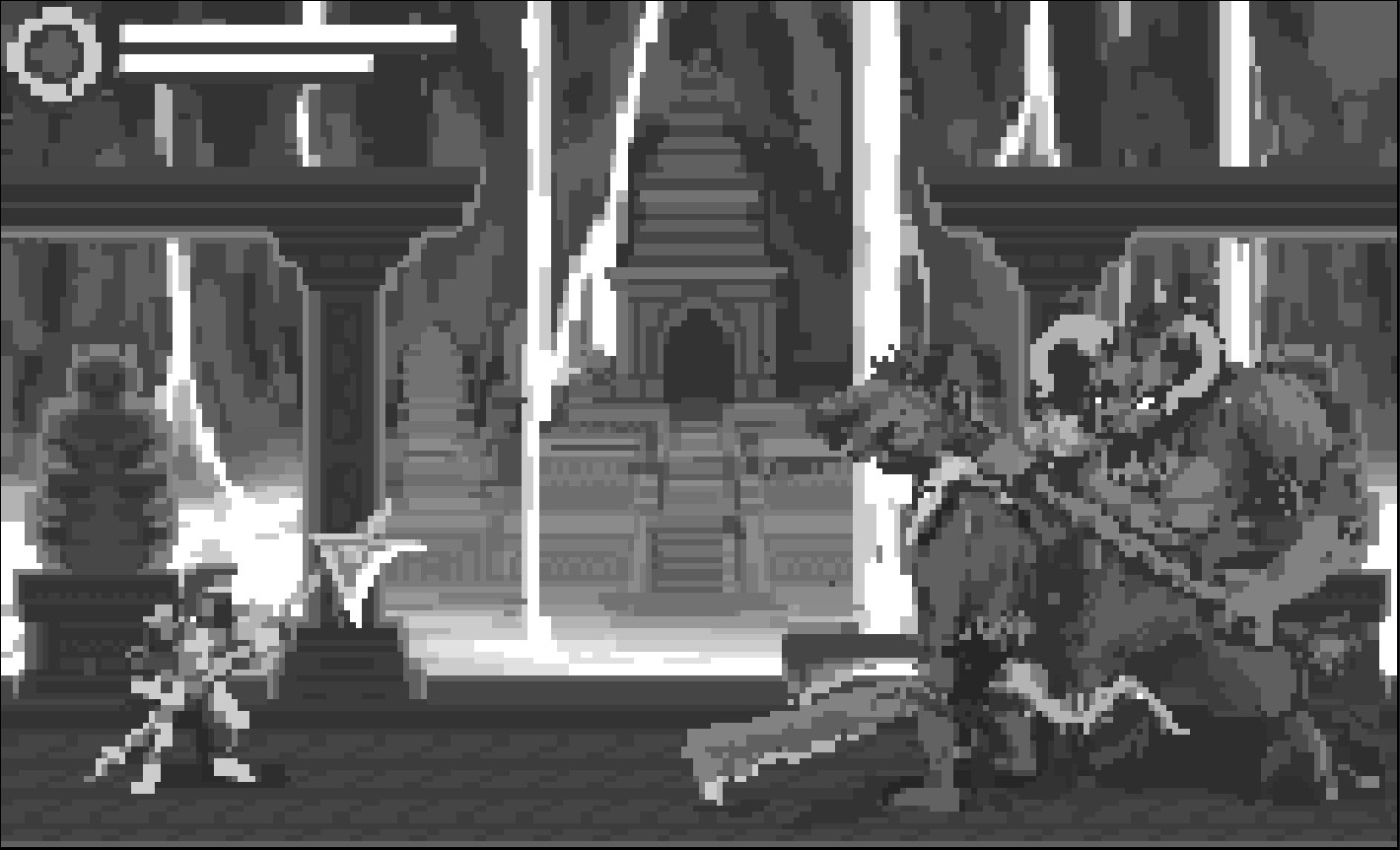
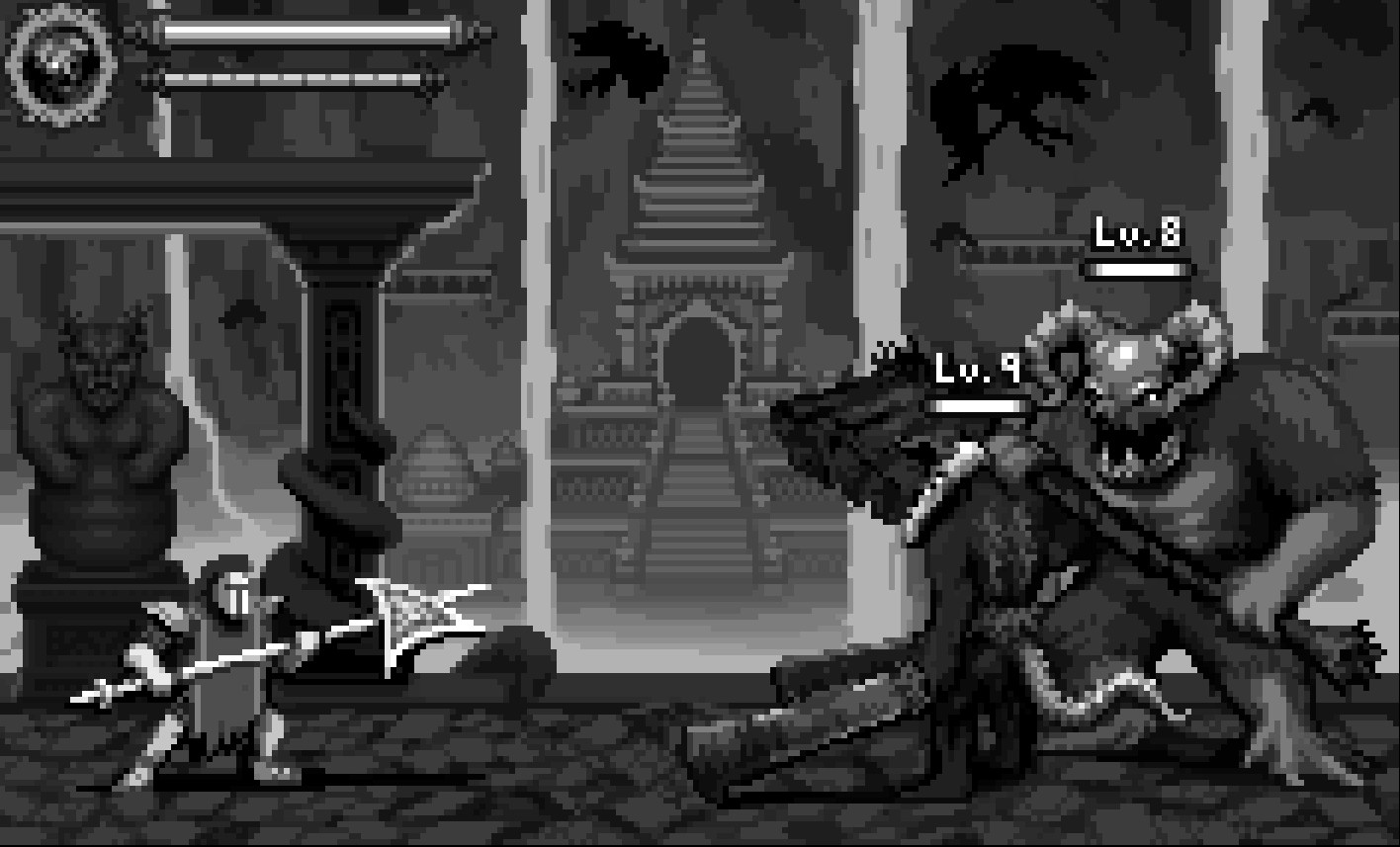
or this


Coloring
Once you get here and decide it's good enough to start coloring, well then there's nothing to do but color. But I don't start by just manually picking and drawing in all the colors for every single pixel in the screen, and neither do I mess around with the grayscale layer(s). I keep the grayscale stuff locked as just shading reference. Instead in Aseprite, I create a new layer or 2 and set their mode to "overlay", and usually set their opacities to about 50% so that the colors aren't too opaque. These layers allow you to just pick and paint simple base colors over the image and you don't have to re-shade manually anything. For example, grass -> green, wood -> brown, metal -> gray, gold -> yellowish orange, rocks -> gray, brown, red, skin -> brown, white, tan, pale, etc. My point is that you don't have to pick all the different shades of color. You just pick base colors and paint away. For example, with the Gauntlet UI elements, it starts grayscale:

I splash some base colors into the overlay. (Let me just hide the UI real quick to make a point)

And turning the underlying UI layer back on, we get this. It just needs clean up.

And these mockup images below are actual examples that aren't polished but apply this color method first.
Polish
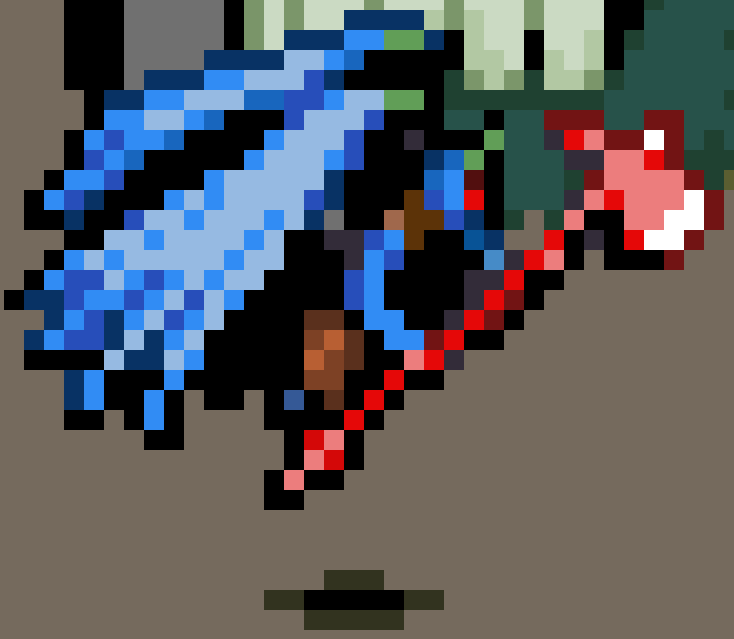
So the overlay painting method is good for some quick coloring and gets some decent colors, but not quite polished and final. It's great for creating a color reference sheet on screen. but it's still good to go back in and manually try to clean up the image on a separate new polish layer (or as many as you want). Clean up and simplify the color count because the overlay color painting usually can cause a lot of hiding extra colors difficult to see with the naked eye unless you zoom in. For example, you can see such extra colors here: (Also I apologize for the terrible jpeg quality. It has nothing to do with the point I'm trying to make here, but is actually a great bonus example of too many similar colors that can be reduced)
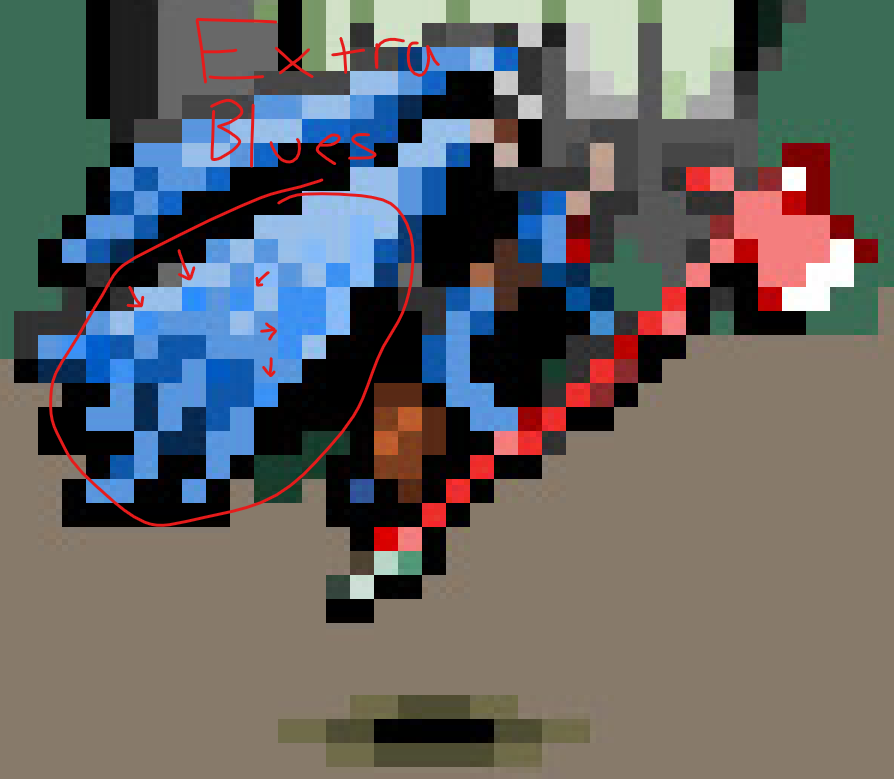
What I'll generally do is take the magic wand tool, set the tolerance to about 10 (in Aseprite) and start selecting groups of pixels with colors that are too similar, then just reduce them to a few key colors or clusters instead. This will result in very distinct colors in the end and cause less strain on our eyes. The palette becomes much cleaner and simpler to look at.
Hue-shifting
The other thing I need to mention is that up to this point, we'd still have to manually add hue-shifting because the original color overlay process does not include automatic hue-shifting unfortunately, so this is manual work, but the magic wand tool is useful for this process as well. You can just selecting groups of pixels on the canvas of matching color and slightly tweaking their hues as their shade changes. Maybe try out purple shadows, or yellow highlights. It's a bit experimental and depends on your lights, but try not to just stick with base colors only for everything. Try to add some subtle hue variety to the various shades of each of your sprites.
For example this is a white skull, but has green highlights due to the green candles:
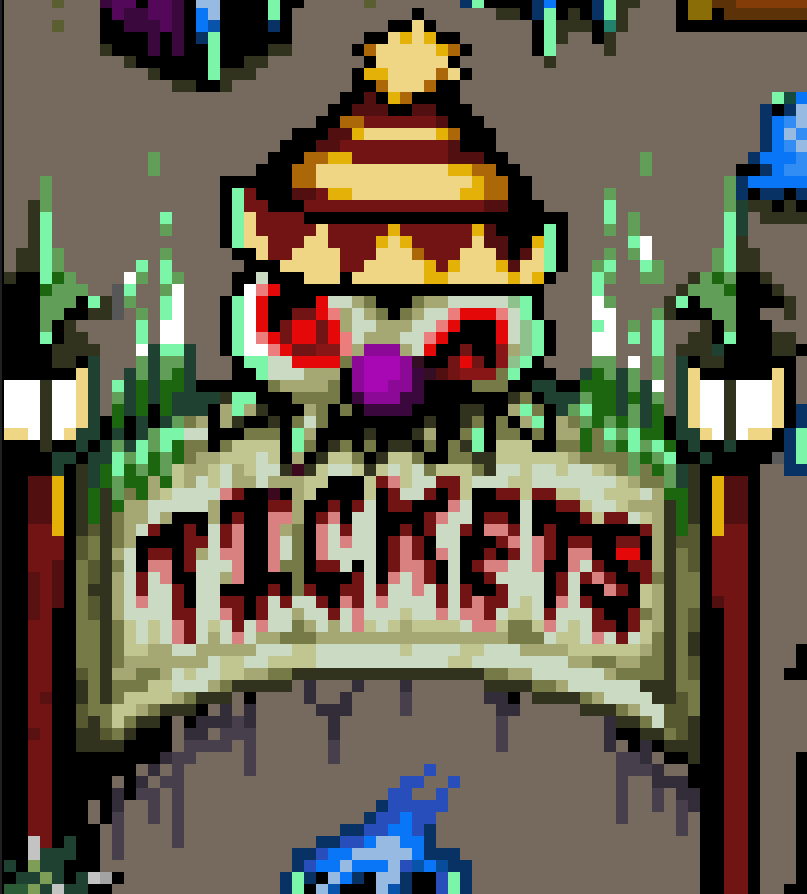
This is a red imp, but has blue lighting due to the large blue energy projectile coming his way.

Also just polish up any final details or mistakes left over.
But that's all I got. I hope these tips are useful and have fun!
itch.io Community » General » General Discussion · Replied to Bloof in I love making pixel art, but not the career
itch.io Community » Creativity & Art » 2D Art · Replied to woodsmoke in Looking for feedback 16x16 Pixelart
itch.io Community » Creativity & Art » 2D Art · Replied to Deilmos in Looking for feedback 16x16 Pixelart
itch.io Community » General » General Discussion · Created a new topic I love making pixel art, but not the career
itch.io Community » Creativity & Art » 2D Art · Created a new topic Minimizing Pixel Art Costs for Game Development
Hello! I'm taking a little break from spriting today and so I just wanted to pivot to talk a little bit about pixel art and ways to reduce costs if you're planning to make a game. I can't estimate how much the art for your game will cost, but I can tell you a few ways to minimize it.
Some Concepts
- Try drawing the art yourself
- Try an asset store first for reduced prices
- Smaller sprites are cheaper
- Less animation/frames is cheaper
- If your artist works for hourly pay, consider setting time restrictions for each art task
These concepts are pretty obvious, but it's common for game developers who don't draw sprites often to not know how big they want their sprites to be, how much animation they will need, and how many hours they'd have to pay their artist. They might just tell a hired artist "I want you to draw this thing with this description and it needs to match this style and I want it to have these animations. Go!" That's a start, but if you don't specify the size, animation restrictions, and max time to work on the art (such as 24 x 24px character sprites, key-frames only, 2 days to work on the art), then the artist could sneak in extra charges for larger sprites such as 64 x 64px characters and more animation frames than necessary just because they wanted to created fun, smooth, 20-frame attack animations, and they can spend more time on the art tasks than you anticipated, charging more time. It gets even worse if you ask them to revise the sprite afterwards because then you have to pay them all over again. So be very descriptive about the important things your sprites require before sending your artist off to work.
You may be wondering "Well how DO I know how big the sprites should be? How MUCH animation should they have? How LONG does the art take?" Well... you don't exactly, but you could sometimes take a good guess if you take some time to study existing sprites from published games and you can limit the amount of time your artist is allowed to work on the art assets. You mainly need to gauge what sprite sizes are too small for your game, but also avoid sprites that are bigger than necessary, how animations look with just key-frames only first before adding more frames, and for how long the art takes, just ask your artist if they can draw/animate something you need in X amount of hours or days. They probably won't know exactly how many hours, but they might be able to estimate the number of days they may need to produce the art assets.
Some Sprite Examples

8x8 Character Sprites by @johanvinet

16x24 Character Sprites (Dragon Quest)

32x32 Character Sprites (RPG Maker)
Different Workloads!
To non-artists, the different in workloads for the different sprites dimensions might not be immediately apparent and might seem like it doesn't hurt to go for 64 x 64px sprites rather than 32 x 32px sprites, but for the sake of your wallet, consider sprite size differences seriously as it could make or break your game's development. A professional pixel artist Cyangmou (Thomas Feichtmeir) made a diagram that explains the idea with a simple chart.
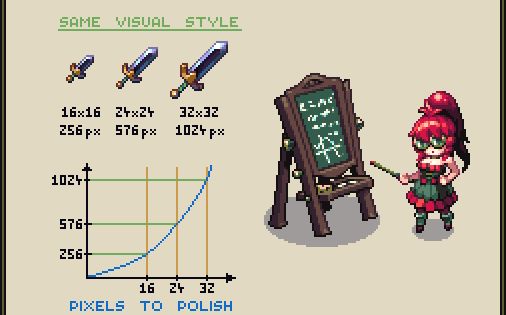
Sizes and Number of Pixels by Cyangmou
Any slight increase in sprite dimensions could exponentially increase the number of pixels that an artist must polish, increasing not just time and cost, but also an artist's dissatisfaction over the job in some cases. You may have had an artist abandon your game project before and one reason for that may have been that there were just too many pixels that they didn't want to polish unfortunately. It sucks but it happens. And then sometimes you might want to hire another artist, but they have a completely different art style and then everything ends up unintentionally becoming a mess. So try to avoid those things happening if you can.
Takeaways
Just to reiterate on the takeaways: get art yourself whenever possible, get the smallest sprites you'd be satisfied enough with (at least for prototyping), consider asking your artist how much time they'd need to produce any specific art assets, ask them to do key-frames only first to decide how you feel about any animations, and then ask for in-between frames to be inserted wherever you think could use more frames.
I hope these tips help!
itch.io Community » Game Development » Help Wanted or Offered · Created a new topic [Pixel Artist] [Looking For Jam]
This screenshot from Bluesky says it all.
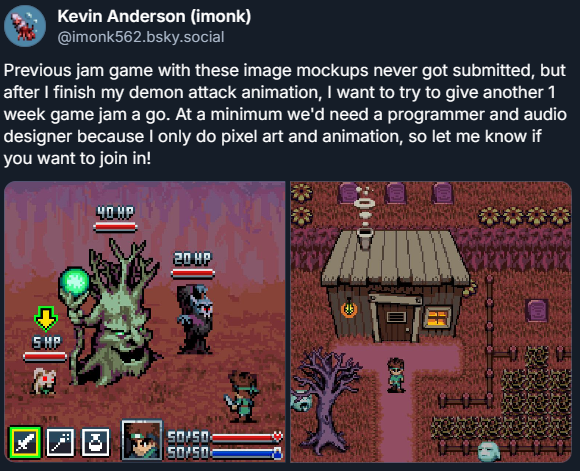
Here's my Pixel Art Portfolio
If you want to do a short-term (around 1-week but maybe 2 weeks) game jam with me, you can contact me at:
Email: kevinanderson32155@gmail.com
Discord: imonk#8030
Yes, I AM currently working on an pixel art attack animation for a demon creature
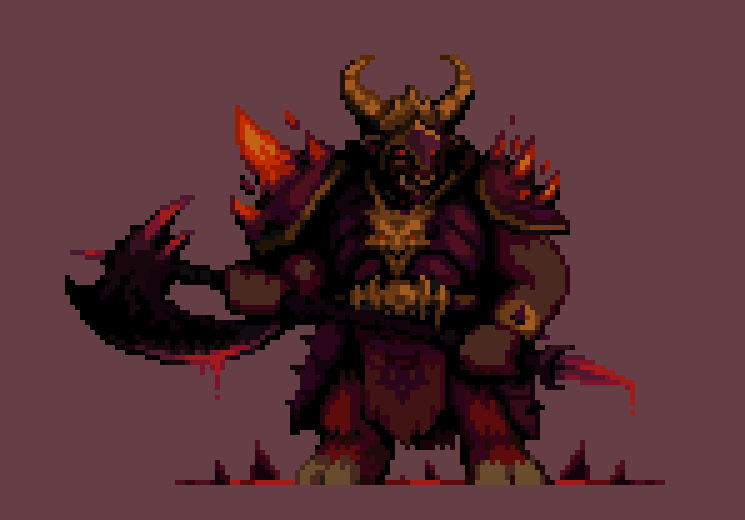
which may take a few days to complete, but once that clears up, we can search for a game jam to join.
itch.io Community » Game Development » Help Wanted or Offered · Replied to Vladyslav Dvornychenko in [Art] Paid Pixel Artist Needed for Modern JRPG Demo

itch.io Community » General » General Discussion · Created a new topic Why Artists Shouldn't (Usually) do Free Art for Others
itch.io Community » Game Development » Help Wanted or Offered · Created a new topic [JRPG Pixel Artist][Looking for Paid Gigs]