Indie game storeFree gamesFun gamesHorror games
Game developmentAssetsComics
SalesBundles
Jobs
TagsGame Engines

Kesash

37
Posts
17
Followers
2
Following
A member registered May 01, 2025 · View creator page →

Creator of
Recent community posts

(1 edit)

Sorry I just noticed you'd messaged again. When you create the conversation using the kps_create_conversation() only add them as a member, then use the add member function (its in the newest release) to add your mc to it later, it will instantly appear on their contact list :) You can create a conversation with 0 members if you want, theres nothing stopping you, but the second a member name == a phone name, the conversation will appear

New version I just released will make this much easier now, and has an example in the demo :) 

Theres (currently) no function to do this. You can use the renpy function for closing a screen, the name of the screen the conversation happens in is called 'dynamic_scrollable_text', add '_group' if its a group chat, but this *may* cause issues. Ill add a function that does it next update :) 

If youre making a new conversation you use the kps_build_conversation, and each member of it you use kps_member (or member if its a version before i added all the kps prefixes)

Yea if you had a phone with the name 'mc' that should add that conversation as a contact to that phone, the example is in the chat with sarah, the one about group chats

Just to add, ive created some helper functions to add a member, remove a member, and rename a member. Will be in the next release, so should be a lot easier soon :) If there's anything else you're struggling with, please let me know

I'd rather add helper functions for common use cases than have people getting frustrated :)

(2 edits)

Its in this comment thread :) Scroll up a little ^ 

Its been changed to a group chat so its using the group chat name, this means there is either 1 member, or 3+. Make sure that when you remove a member you add another one, and if you add another one you remove the original one. If you shift+o for the console (this causes a rollback so make sure you click to advance dialogue once before you do) and type conversation_name['members'] (obv replace conversation_name with what its actually called) then it will print the members out for you, and you can check.

Do you have the latest version? In test_char_4 there are 3 examples on how to do this :) Not all of these functions exist in older versions. 


Just uploaded the new version with all this in, also adds the volume of them to the settings screen of the phone. There's a few extra checks it does for messages appended using functions as well. 

(1 edit)

    def _kps_play_message_sent_received_sound(entry):

        if not (renpy.get_screen("dynamic_scrollable_text") or renpy.get_screen("dynamic_scrollable_text_group")):

            return

        if not isinstance(entry, dict):

            return

        sender = next(iter(entry.keys()), None)

        me = phone_data.get("name")

        if sender in ("image", "video", "code"):

            return

        if sender == me:

            renpy.play(var_kps_message_sent_sound, channel="sound")

        else:

            renpy.play(var_kps_message_recieved_sound, channel="sound")

(2 edits)

Yea this one is a little more complicated, it will be in the next update but if you want it now- 

Create this function anywhere in the init python block at the top (will reply to this with a copy paste):
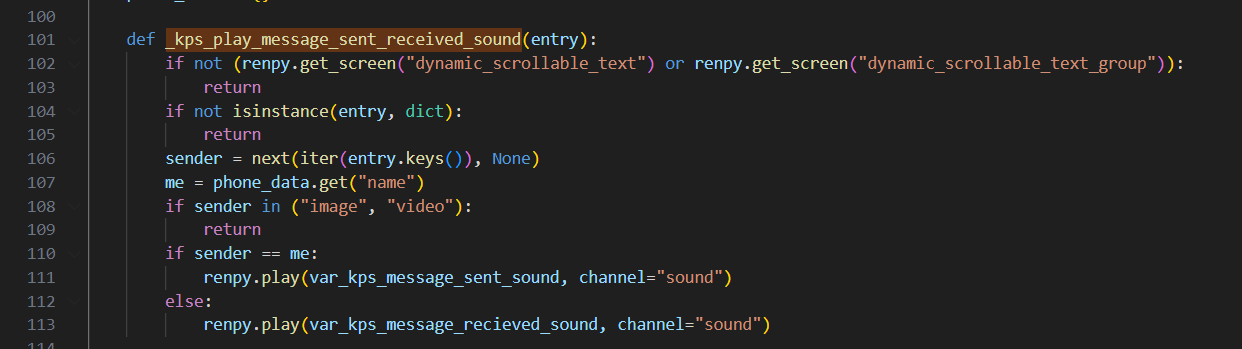
(The vars in using here I've just added to config and done = "thesoundfile")

Run the function in these 3 places:

1-

2-
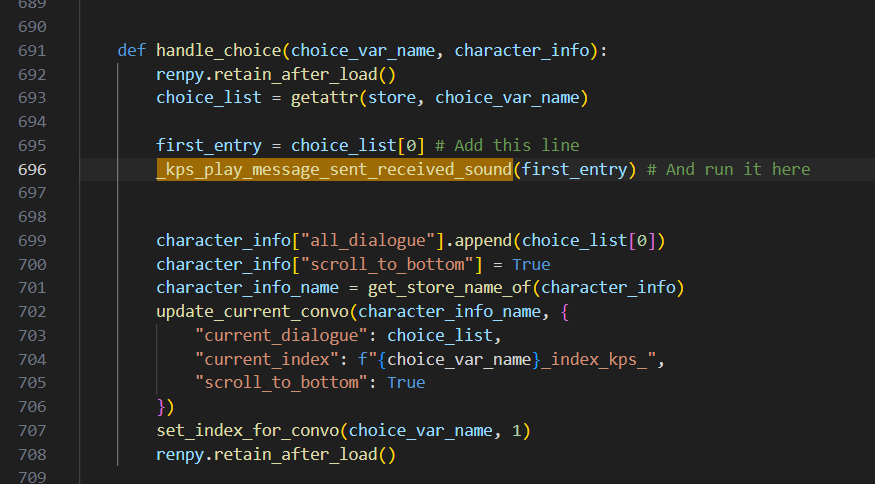
3-
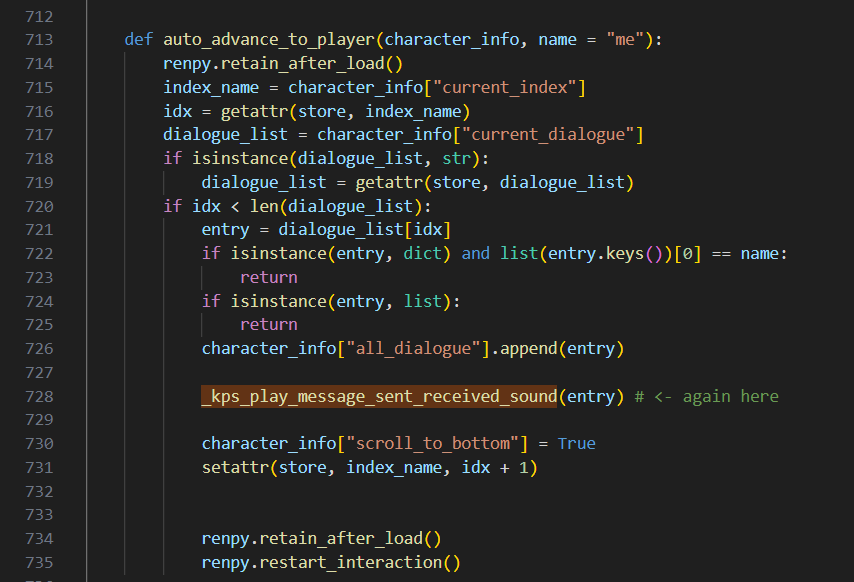

That should do it :)

(Also, add "code" with the image and video, so it doesn't play a sound when code executes)

I haven't decided how im going to handle image messages yet, but you can just change the 'return' there to a custom 'sent image message' sound if you want. Or if you've only ever going to be receiving images just set it to the received sound. 

in phone.rpy replace:

```

phone_data.clear()

phone_data.update(copy.deepcopy(phone))

```

with:

```

phone_data.clear() or phone_data.update(phone)

```

Should be the quickest fix before I release an update

Its in the kps_open_phone() function

This did work, I must have introduced a new bug when adding something, leave it with me and i'll fix it

(3 edits)

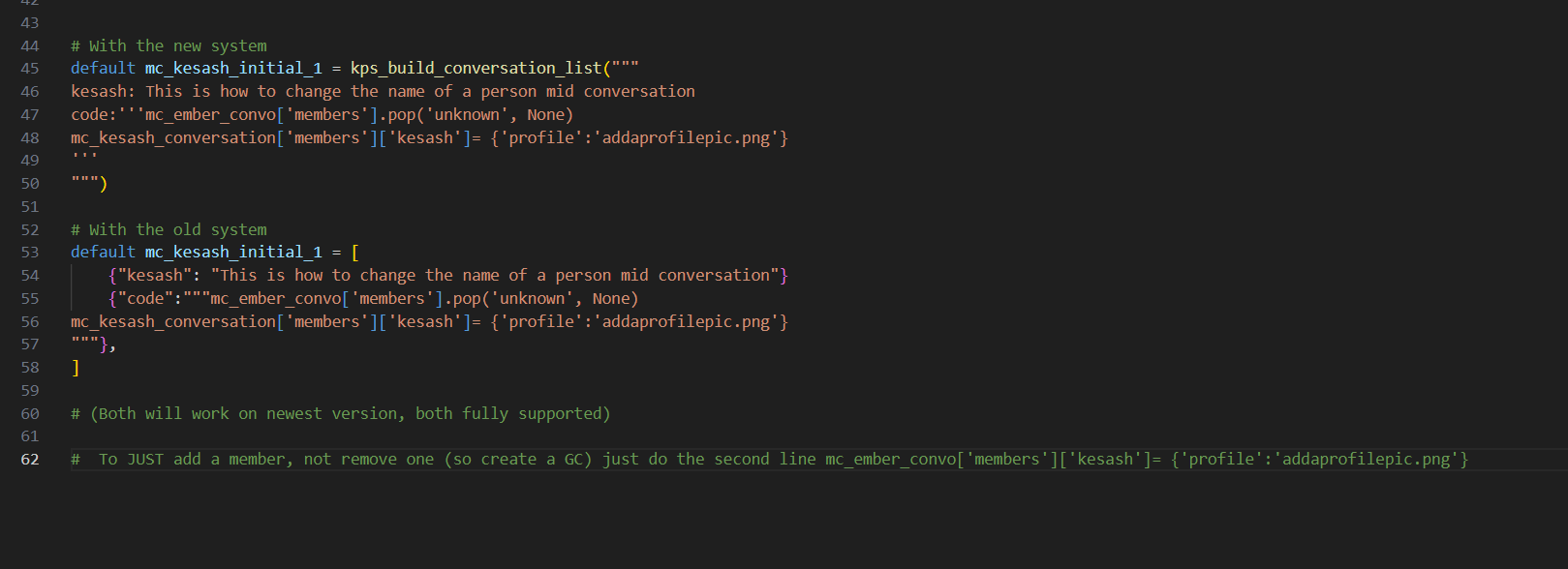
Here, throw this in (change the member name of 'mc' if that isnt your phones name) and it will add a convo with a changing name:


default unknown_convo = [

    {"ember":"Hey"},

    {"mc":"Hey who is this"},

    {"ember":"Ember"},

    {"mc":"OH! Ill update your name"},

    {"code":"""

mc_ember_convo['members'].pop('unknown', None)

mc_ember_convo['members']['ember']= {'profile':'addaprofilepic.png'}

"""},

    {"mc":"done"}

]

default mc_ember_convo = build_conversation(

    unknown_convo,

    member("mc"),

    member("unknown", profile = "test/mc_profile.png")

)

You can obviously replace it from wherever you want, i just showed it being done in the phone here. 

Set the name of the 'member' to unknown, then later, just replace that member with one with a name. So create it with the name unknown, then later remove it and replace it with one with a name. 

The name of the contact is made by checking all the members keys, and just using the one that isnt you. So if a conversationg has two members: 'mc' and 'unknown', and the phone owner is 'mc' the contact is 'unknown', as thats the one that doesnt match the phone. If you then remove the unknown member and replace it with a member called 'sarah' it will now use that as the contact name. 

But as youre still using the same conversation, just changing the other member, it will still keep all the history. 

Let me know if you need an example in code, im just on my phone atm so cant do one right now.

Update done. Should be MUCH easier to code for now

(2 edits)

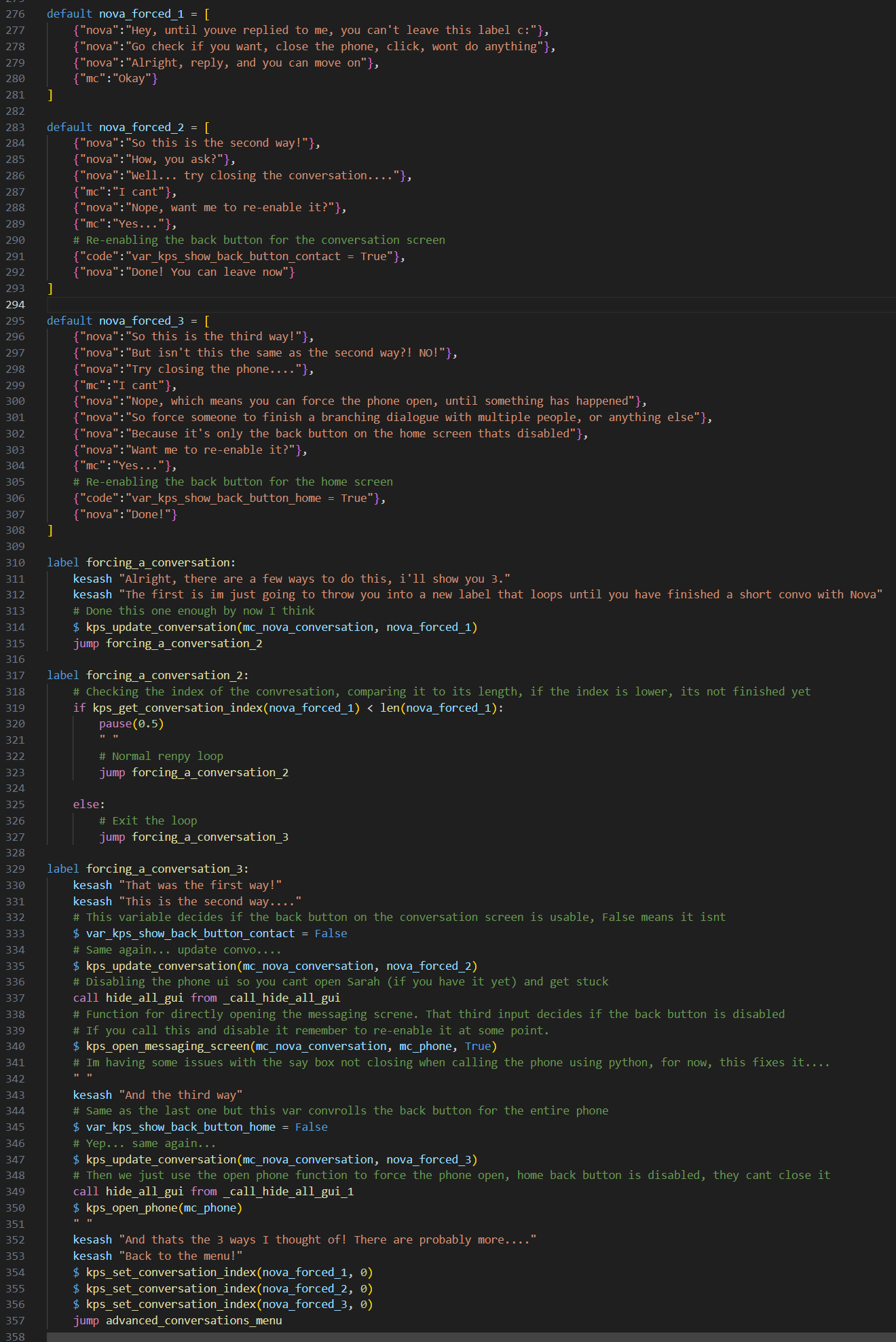
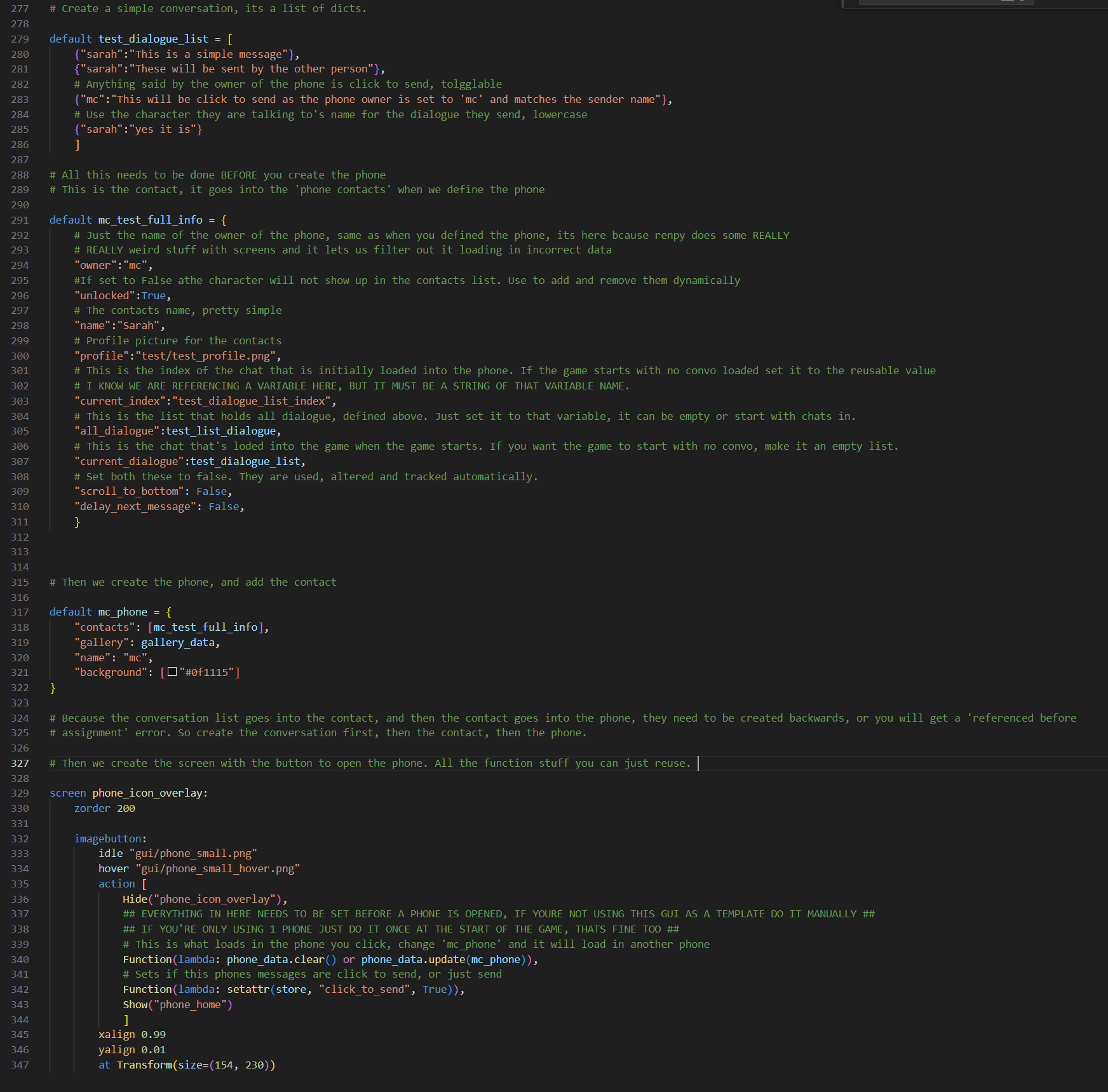
This shows a simple conversation, contact and phone, with a screen to open the phone. The hardest part is defining the contact, but once that's done you never need to do it again, you can just swap out which conversation is loaded in and that one will play out :) 

(i forgot to add 'default test_dialogue_list_index = 0', should be done after the conversation list is defined and 'all_dialogue' can just be set to an empty list, half of this will become unnecessary in the next release btw, ive completely reworked how its all set up, check the devlog, you may want to wait for the next release)
Sure, it does come with one pre coded. Did you check test_char.py? It has everything there with code notes showing how to do it.

I think I forgot to update my discord too, so you can add me there on randomfox_

It was the name of the game so I had to get to it.... took a while

Me opening and closing this game on opera GX with hardware acceleration disabled. Idk how this is even possible for a browser game. It does not drop back down after the game has loaded, just keeps CPU at 100% consistently. 

Took a while but finally got everything done in 1 run, took about 2 days.

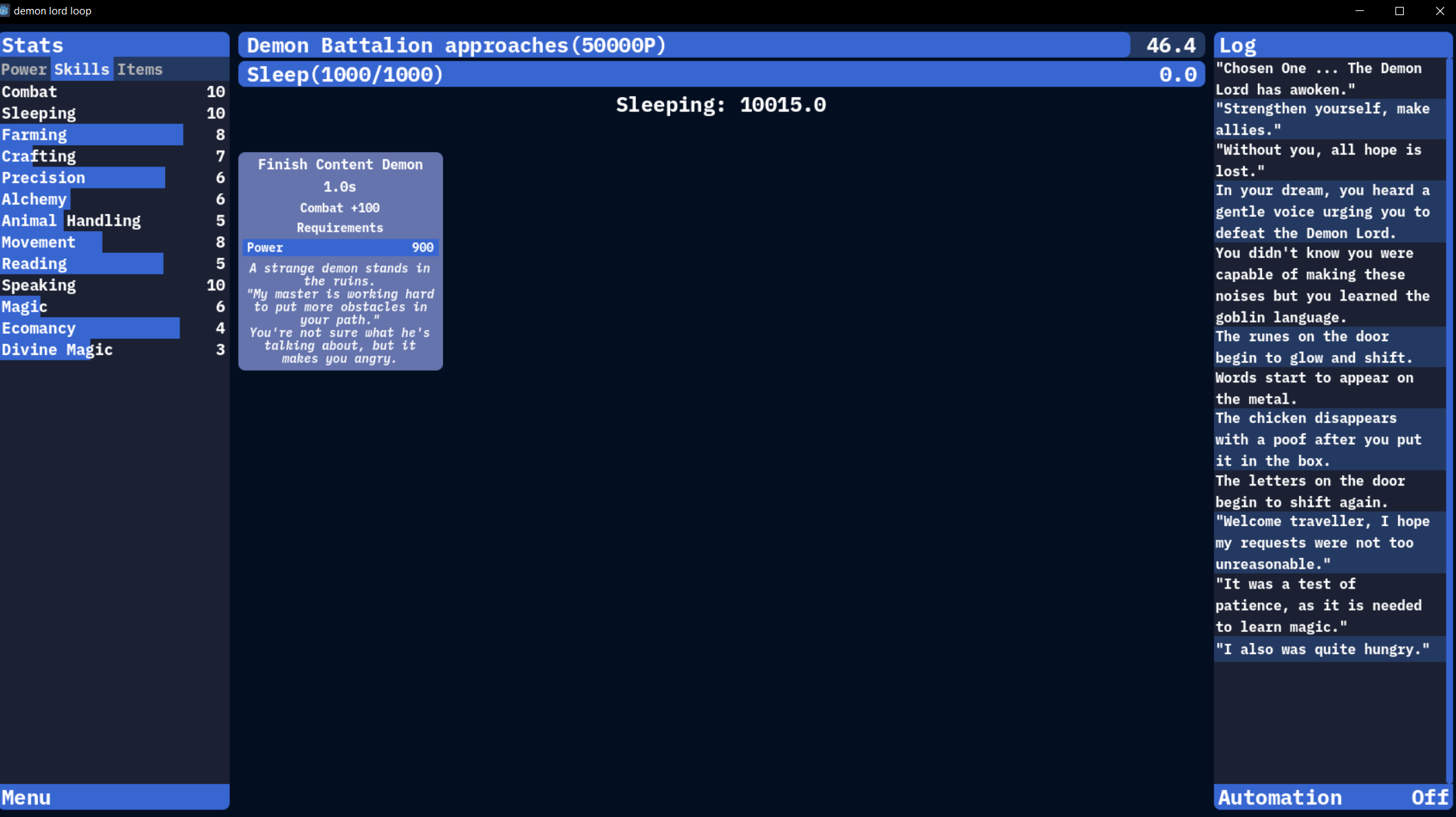
Also, a way to easily tell the difference between different things in the automation screen. So a different colour for if the automation  is turned on, and if they are a choice. 

I would really like the option to 'record' the choices I make on a run for an auto preset. Going through the list every time I want to make a new one is not fun, being able to just play and make the preset at the same time would be cool. (Great game though)

(1 edit)

Using Opera GX on windows 10, using a pc that can run anything in existence NOTHING else browser based will work while this game is in view. Like the second I open the tab YouTube just stops playing video's, even if its completely buffered. Weirdest bug I've ever seen. Even if I load the game in a private browser with other things in a normal one it still happens. 


Checked in Edge and it doesn't happen there. 

(1 edit)

I was getting it before id even finished the game

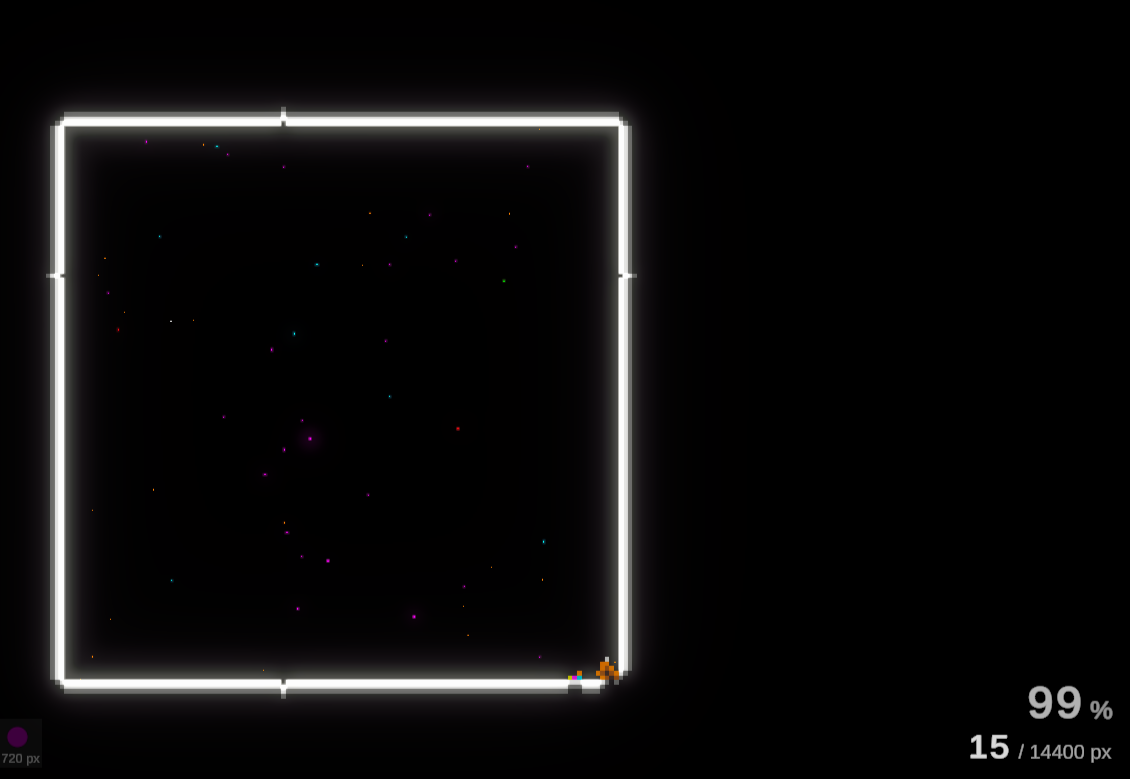
Its a fun little game but the balls seem to trend towards horizontal/vertical only over time, making it REALLY slow to finish.  

Its fun until you buy the last pink upgrade, at which point you get 0 blue squares anymore and can't do anything

The tab for each die being a different colour if you're able to afford one of the upgrades, and maybe greying out if there are none available, would be a nice QOL

I don't get the crafting, at all. 

The volume CONSTANTLY turns itself up. I had to repeatedly turn it back down over and over. I dont even understand how this could be a bug.

I really like this game.  The main issue I have with it is the timer on the spawn tree button, its too slow. I don't mean in a balance way, but in a playability way. 

Most people can get into a rhythm pressing a button, but anything over 2 seconds and it becomes very hard to 'know' instinctively when it will come off cooldown, so you end up just clicking constantly.

A shorter cooldown on it makes it easier to get into the rhythm of just pressing it when it comes of cooldown without needing to stare at it constantly or click all the time. 

The other thing would be to add a loading bar type effect over it so you can see when it will be available again. 

It's the very first thing anyone who plays the game interacts with so it needs to be 'perfect'. 

it adds an entire phone that yes, you can have text conversations on. If you download it there is a game loaded into it that shows you what it can do :)

The phone system is in phone.rpy, there is something in every file. Its all code noted.

Just hit the download button, it's all there

Hey, there is no information regarding usage and licencing? As an asset pack I'm assuming It's made for other people to use, but I see no information regarding this.