

Its been changed to a group chat so its using the group chat name, this means there is either 1 member, or 3+. Make sure that when you remove a member you add another one, and if you add another one you remove the original one. If you shift+o for the console (this causes a rollback so make sure you click to advance dialogue once before you do) and type conversation_name['members'] (obv replace conversation_name with what its actually called) then it will print the members out for you, and you can check.
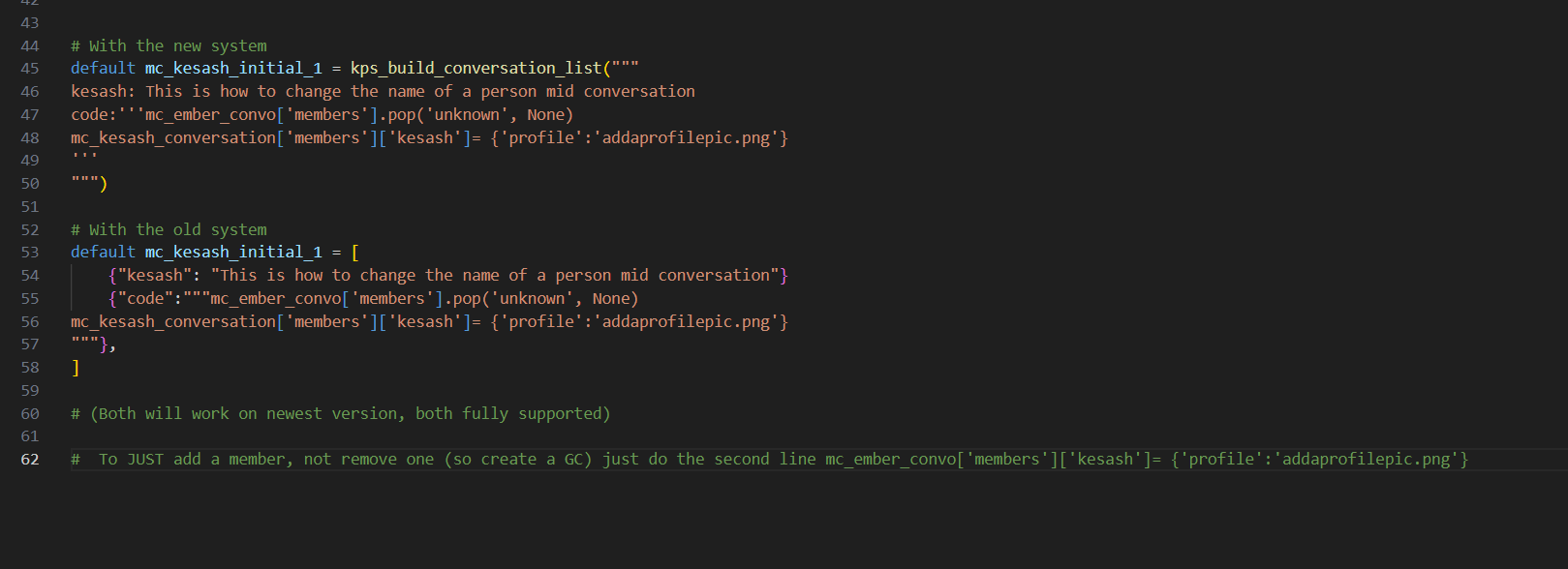
Just to add, ive created some helper functions to add a member, remove a member, and rename a member. Will be in the next release, so should be a lot easier soon :) If there's anything else you're struggling with, please let me know
I'd rather add helper functions for common use cases than have people getting frustrated :)
Oh no. I didn't mean the change the name. I meant let's say you start off with two contacts in the beginning, but then you make a friend later and want to add them in as a contact. names are changed to fit my story but i believe the original names were mc and kesash and this was supposed to add them in as a new contact
$ cliff_kiana_conversation['members']["mc"] = {"disable_messaging": False, "profile":"test/mc_profile.png"}
So just to make sure I understand, this code is how to create a new contact in an already made conversation? Maybe I wasn't clear with my intentions, but what I'm trying to do is create a new solo contact with their own unique conversation, not adding them into an existing conversation. And not changing the name either.