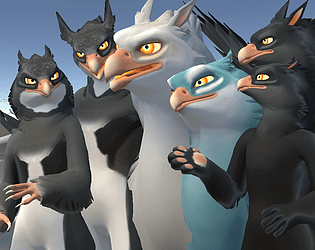
The last I heard is that however Purpzie plans to release her project, it is going to somehow depend on this one. I believe she's still waiting on VRChat to address a bug that causes her rig unfortunate amounts of jitter in some circumstances.
For convenience, when she's finished, I do plan to either link to her assets on this page, or include a direct download of them!
manyblinkinglights
Creator of
Recent community posts
Yah, I’m sorry I don’t have instructions! Here’s how it works:
When you spread your hands far apart from each other, the wings will follow your hands. Your wings will stay open until you…
…fold your elbows! An easy way is to touch both hands to your shoulders. This is what folds your wings.
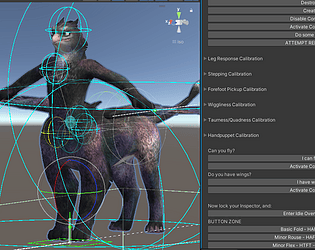
If you make the Rockout gesture with either hand, the front leg on that side will pick up and follow that hand! Talon clasp is controlled while a front foot is up by trigger grip strength on the OPPOSITE hand.
If you make a Fist gesture with either hand, and pass the fist Contact through your human head Contact (making a fist and pressing it to your jaw works), when the fist is moved away from your head, your gryphon head will follow it! Your gryphon neck will point along your forearm and your gryphon head will look around with your look direction, so long as you hold the Fist gesture. Trigger grip strength controls opening and closing your beak!
If your Chair is enabled while your head is following your hand like this, and then you open and close your beak, a small Chair will also show up on your gryphon’s nose. Players who get in that station will be balanced standing up on your nose. Small players get swallowed, though… (I would have put more polish on this feature, but station behavior is still really unreliable, so it’s just because I think it’s funny.)
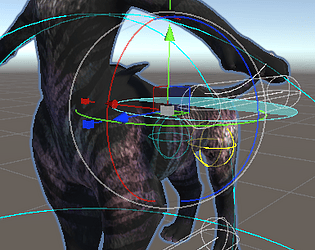
If you enable pickup, an invisible phys bone should show up around your chest somewhere. If people grab it they’ll lift the gryphon right off you, and then they can carry it around. You stay where you are though.
In OpenFlight mode, while in Open Flight, you can make double Fists and then bring your fists closer together or farther apart. You’ll blend in and out of a landing pose based on your hands-apart distance while making double Fists. It’s just aesthetic, you still fly normally.
I think that’s it for “secret” controls!
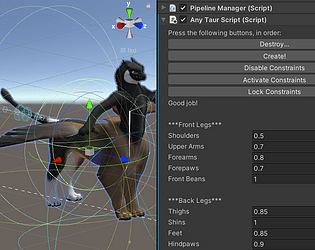
This avatar is a modified AnyTaur, and I wrote a C# Unity editor script as part of the public AnyTaur base. The script automates much of the work I was doing by hand, adding constraints to all the different transforms and filling out their Sources, etc. As the script evolved, I eventually used ChatGPT to generate some of the functions doing animation keyframe handling (mostly storing and retrieving transform data for the custom poses).
Since this C# script I made has LLM code, and I used it to assemble the AnyTaur avatar the Fluffy Gryphons were then modified out of, I decided the Fluffy Gryphons should inherit that flag.
edit: AnyTaurScript.cs is still in the project somewhere, it’s first-knitted-sock tier Bad Code(tm) which makes the copy-pasted LLM stuff quite obvious. I can’t actually code and I’m not willing to learn, so it’s genuinely for the best that I’ve switched to asking ChatGPT to write my functions. x_X iirc I used the script on the Fluffy Gryphons to update their custom poses, rather than Unity’s built-in animation tools.
Oh, this should be an easy fix! I’m so sorry for the trouble, but I don’t have these set up as “prefabs” — I have a “scene” set up that has them IN it!
In the Assets folder, the big topmost main one, should be a file called “FluffyGryphonScene_PCVR”! If you double-click on it, both gryphons will load for you all set up!
If you want to change the materials, the fastest way is to change the materials on the gryphons (in the Scene) by expanding the gryphons in the Hierarchy and clicking on the Body entry in them for their mesh. Clicking/editing the materials from there will make sure you get the right ones.
There’s noooooo way anyone’s getting them set up from just their fbx haha, I’m so sorry you tried that, of course it was awful!! Please let me know if you need any more help, you can also ping me on Discord at “manyblinkinglights” if I don’t get back quickly enough on here!
I hang out with other wizardy mountain quad rigging hermits in the Virtual Limbs Discord; I can only really help with people using my AnyTaur system, but general quad avatar questions are always welcome there! https://discord.gg/limbs
Sadly, this avatar does not currently work on Quest. The wingless one could technically be reworked to be Quest-compatible, though. Thank you for the reminder; I will add a wingless Quest variant at some point in an update.
I think it’s over the Quest bone limit…? It’s over various limits on Quest, but the bone limit is the big one. A Quest version would have to have loads of bones deleted, and be rerigged to use the Humanoid bones for its neck and head. It would also lose various functions related to the avatar being a constraint puppet… I was able to keep a LOT more than I was expecting!!
Ticket 305532; over a month has passed since I requested my latest payout. This is crazy, it’s been 20+ days for every payout I’ve ever requested (except iirc my very first one, which was fine). I may be smalltime, but my money means even more to me because of that! Please hurry up. This is bonkers, genuinely.
Argh, I thought I fixed the dependencies. For now, click on the avatar in the Hierarchy and expand it. In the list of things that got expanded, the last few are the prefabs that are likely causing the problem. They are labelled for facetracking and fast fur. There also may be a script tagged onto the avatar directly, the same way/in the same place as the VRC Avatar Descriptor, just scroll through and see if you find one (only the ones I test uploaded have it). It should clearly show in the Inspector that each of these things is broken (missing script). Go ahead and delete them for now. I have one more fixit update coming where I will try extra hard to resolve this problem. :/ edit: fixit posted, you can now choose the “no vrcfury” Scene!
I'm very sorry, but I don't have Substance Painter! I made the textures by hand/with the HAS Paint Layers plugin for Blender + working flat in Krita, and my workflow is messy and destructive. HOWEVER: It is possible to import .png textures into Substance as static layers; the "main" texture the gryphon comes with is basic, blank-canvas white for this purpose. I may or may not be able to eventually provide Substance files here. If I do ever rent a month of Substance and get a big ambitious paintfile created, it will be included as an update free of charge.
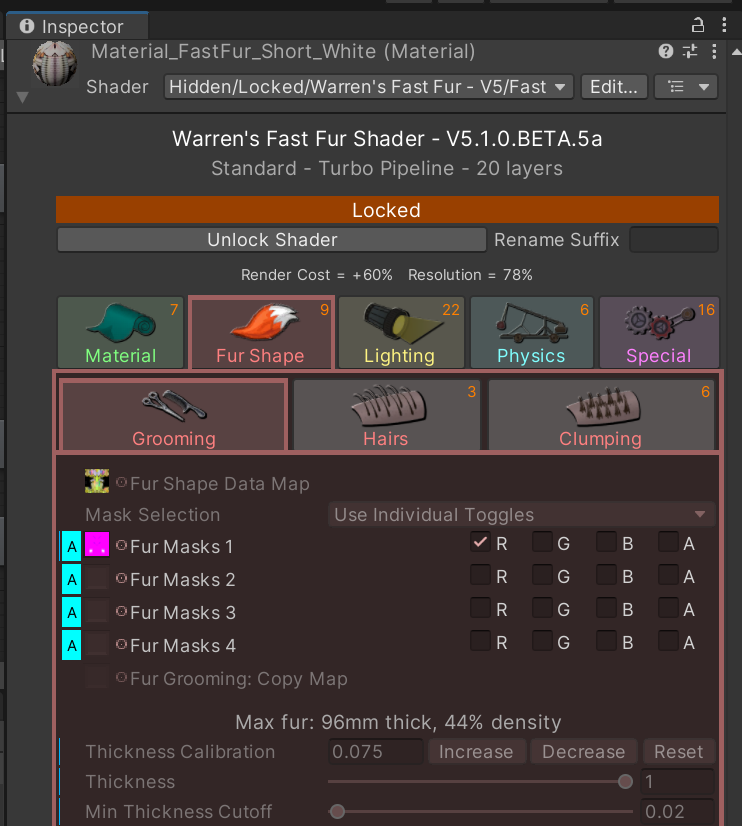
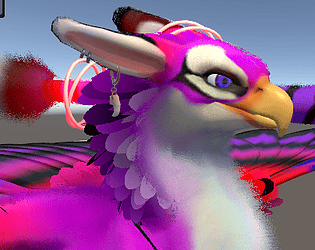
Oh, cool, we get to post images here. So, if you click on the Skinned Mesh Renderer in the avatar in the Hierarchy ("Body"), and then look in the Inspector and scroll down to the little orbs with previews of the materials, and expand the Fast Fur material, and go to the Fur Shape tab with the red fox's tail, and then the Grooming tab, the masks are now toggles! Un-check the "R" channel on Fur Masks 1.