
Indie game storeFree gamesFun gamesHorror games
Game developmentAssetsComics
SalesBundles
Jobs
TagsGame Engines

Noticed right after I sent the comment. I've been tinkering with it and found something that can work. Thank you for all the work you've been putting into this!

Also, somewhat unsure if I'm the one making a mess of the code you presented but I've noticed that after I did the contact name change, whenever I leave the chat, it shows this instead of the changed name "Junichi"
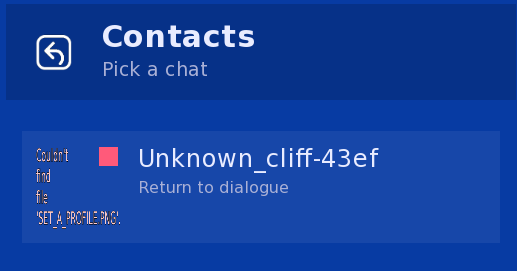
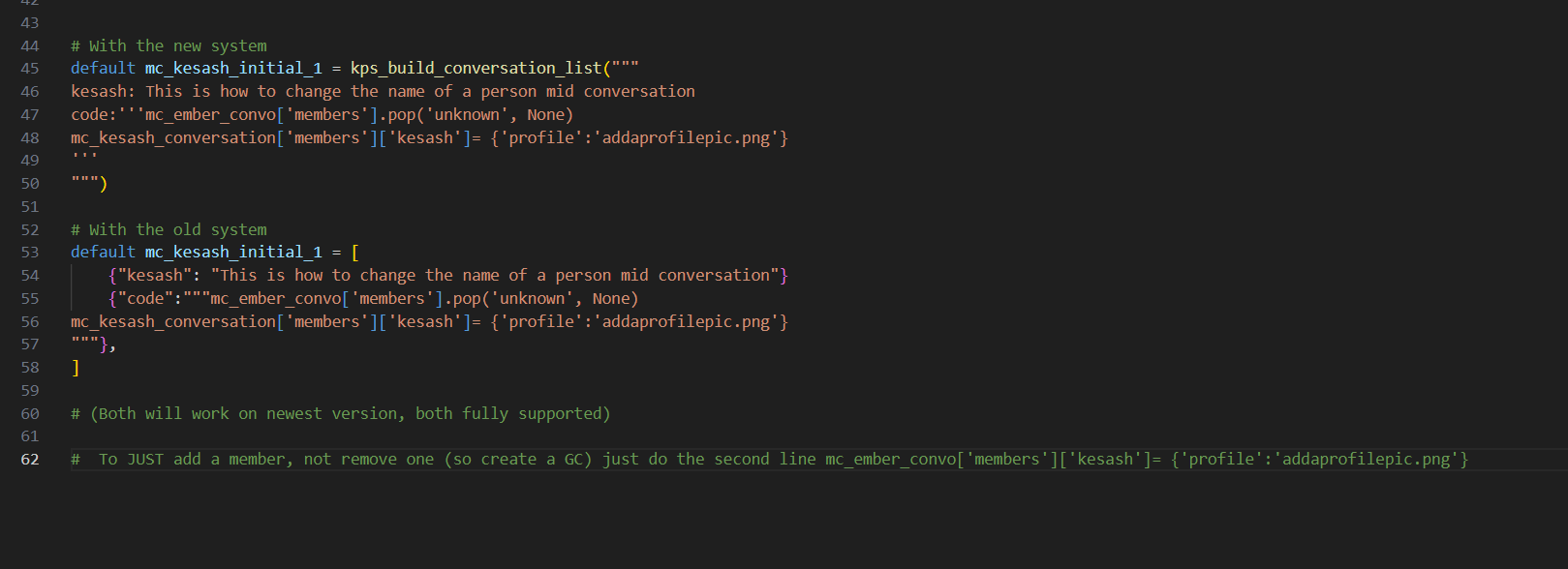
Its been changed to a group chat so its using the group chat name, this means there is either 1 member, or 3+. Make sure that when you remove a member you add another one, and if you add another one you remove the original one. If you shift+o for the console (this causes a rollback so make sure you click to advance dialogue once before you do) and type conversation_name['members'] (obv replace conversation_name with what its actually called) then it will print the members out for you, and you can check.

Ah, I feel like I'm going crazy. I know I saw in a rpy file there was a way to add a new contact in without having them there originally from the start but now I can't find it to reference. Could you provide the code again, please? I feel bad that I keep bugging you with such little things :(

Its in this comment thread :) Scroll up a little ^ 

(2 edits)

Just to add, ive created some helper functions to add a member, remove a member, and rename a member. Will be in the next release, so should be a lot easier soon :) If there's anything else you're struggling with, please let me know

I'd rather add helper functions for common use cases than have people getting frustrated :)

Oh no. I didn't mean the change the name. I meant let's say you start off with two contacts in the beginning, but then you make a friend later and want to add them in as a contact. names are changed to fit my story but i believe the original names were mc and kesash and this was supposed to add them in as a new contact

$ cliff_kiana_conversation['members']["mc"] = {"disable_messaging": False, "profile":"test/mc_profile.png"}

Yea if you had a phone with the name 'mc' that should add that conversation as a contact to that phone, the example is in the chat with sarah, the one about group chats

So just to make sure I understand, this code is how to create a new contact in an already made conversation? Maybe I wasn't clear with my intentions, but what I'm trying to do is create a new solo contact with their own unique conversation, not adding them into an existing conversation. And not changing the name either.

If youre making a new conversation you use the kps_build_conversation, and each member of it you use kps_member (or member if its a version before i added all the kps prefixes)

It's me again (agologies). I read in test 3 that it's possible to force the phone to close but haven't been able to figure out the code for that. I thought it would be just kps_close. So I come to you asking for the correct code.

Theres (currently) no function to do this. You can use the renpy function for closing a screen, the name of the screen the conversation happens in is called 'dynamic_scrollable_text', add '_group' if its a group chat, but this *may* cause issues. Ill add a function that does it next update :) 

New version I just released will make this much easier now, and has an example in the demo :)