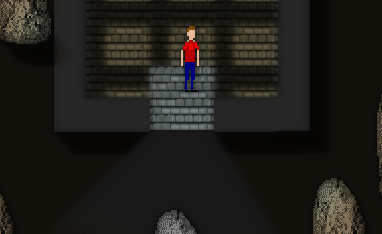
From what I could tell the end of the video showed Sprite-based shadow casting? with text in it?
looking to upgrade from using Aura 2 and need Sprite-based shadow casting and something faster (Your asset looks like the right choice)

GameMaker:Studio Extension, shader based dynamic lighting. · By
Yeah kewl I bought it and had only 1 problem... indoor wall shadows... i found a solution with obj_glr_wall and obj_glr_roof where I set the roof to a height just below the walls and use it as a floor... but it only works fully with 1 object for the roof/"floor" segment. otherwise it cuts the shining outside once i've left the first indoor floor "segment" and my game has modular building segments, so i can't just use 1 object.
Any ideas how to get the shining to work through the door with multiple "floor" segments?
heres some pics to explain better,
here's how it shines if i use 1 big floor obj, or if i stand upon the obj near the door.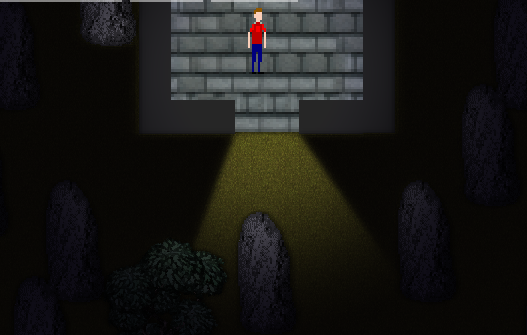
outside always worked scaled 1 obj or segments.. shines like this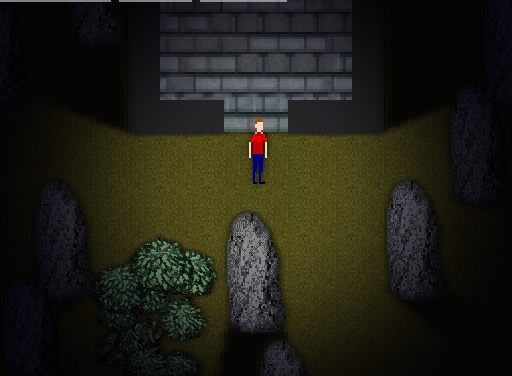
but here's whats wrong if i walked inside and off the first obj, it loses the shining out through the 1st objects edge. i marked the corners of the first object to show where it is..
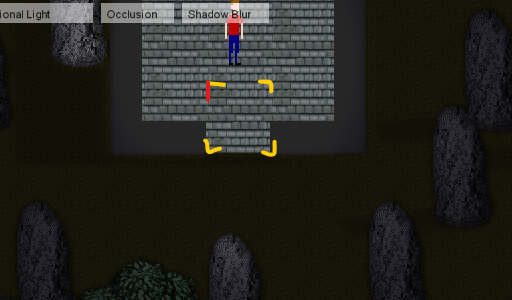
i don't know what else to do,
so would you have any ideas how to get the shining to work through the door with multiple "floor" segments?
the only code i changed was these
glr_mesh_set_scaling(mesh_id, image_xscale, image_yscale);//scaling fix oc
glr_mesh_set_height(mesh_id, 10);
(in obj_glr_roof)
glr_mesh_set_height(mesh_id, 8);
(in obj_glr_wall)
Since the floor does not cast shadows you can treat it as a normal object without any glare related code. It would work out of the box. Btw I suggest you to use the nine slice feature of gamemaker with the repeat flag set to have more performance and use less “floor pieces”
i was using floors to not cast shadows upon the floor area... so i do need floor to have a mesh_set_height value greater than the walls.. can't use a standard object cus that just lets in unrealistic inside shadows from directional light.
see the wall shadow above the floor if i'm not using glare setup code in "floor" obj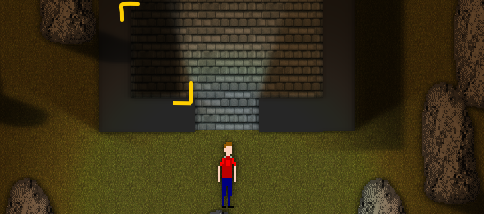
is there a way you could make a simple workaround that works with multiple floor segments?
I can't use just one obj for floor cus the player houses in my game are editable and modules...
also, is there a way to turn off/on a shadowcaster? I implemented a non-shader lighting system that was able to and have finished code that requires the shadowcaster(s) to be enabled/disabled based upon the house shape (so the player can walk from module to module in the house
This is what I'm doing but multiple roofs at the caveat of losing some outdoor lighting when inside enough..
But i have another problem 😔
Android shadowcasters meshes are hollow..
I set it up fer PC and expected mobile to be mostly same.. but it's not working at all..
It looks like the system is interpreting the mesh coordinates inside out (clockwise or anticlockwise) and getting the wrong look.. cus the same thing happens upon pc with rotated masks when turned.
Here's a picture u can see it looks wonk fer the walls. And the roof segments im using as floor have shadows cast upon each other instead of just outside.
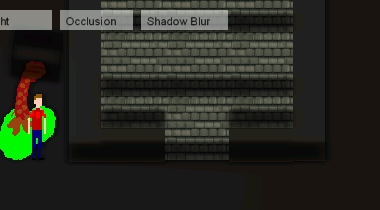
And Pc looks more like this
Have you had this kind of behaviour with it before? I need a cross-platform mobile/PC solution and can't util this if android isn't gonna work the same or similar.
I tried following the documentation at
https://tizsoft.altervista.org/glare/docs/grouping_meshes
to try to group the floor meshes as one..
they turned out even more disconnected. and still has the same issue with door lighting spill if i step off the initial floor onto another floor.