

Kesash, do you mind giving a tutorial of how to set up a simple conversation? I've been trying for the past hours and haven't been able to. Anytime I think I've got it, I've broken it. And on top of that I never get the little bubble to click to advance the text, so I don't know how I messed up there either.
This shows a simple conversation, contact and phone, with a screen to open the phone. The hardest part is defining the contact, but once that's done you never need to do it again, you can just swap out which conversation is loaded in and that one will play out :)
(i forgot to add 'default test_dialogue_list_index = 0', should be done after the conversation list is defined and 'all_dialogue' can just be set to an empty list, half of this will become unnecessary in the next release btw, ive completely reworked how its all set up, check the devlog, you may want to wait for the next release)
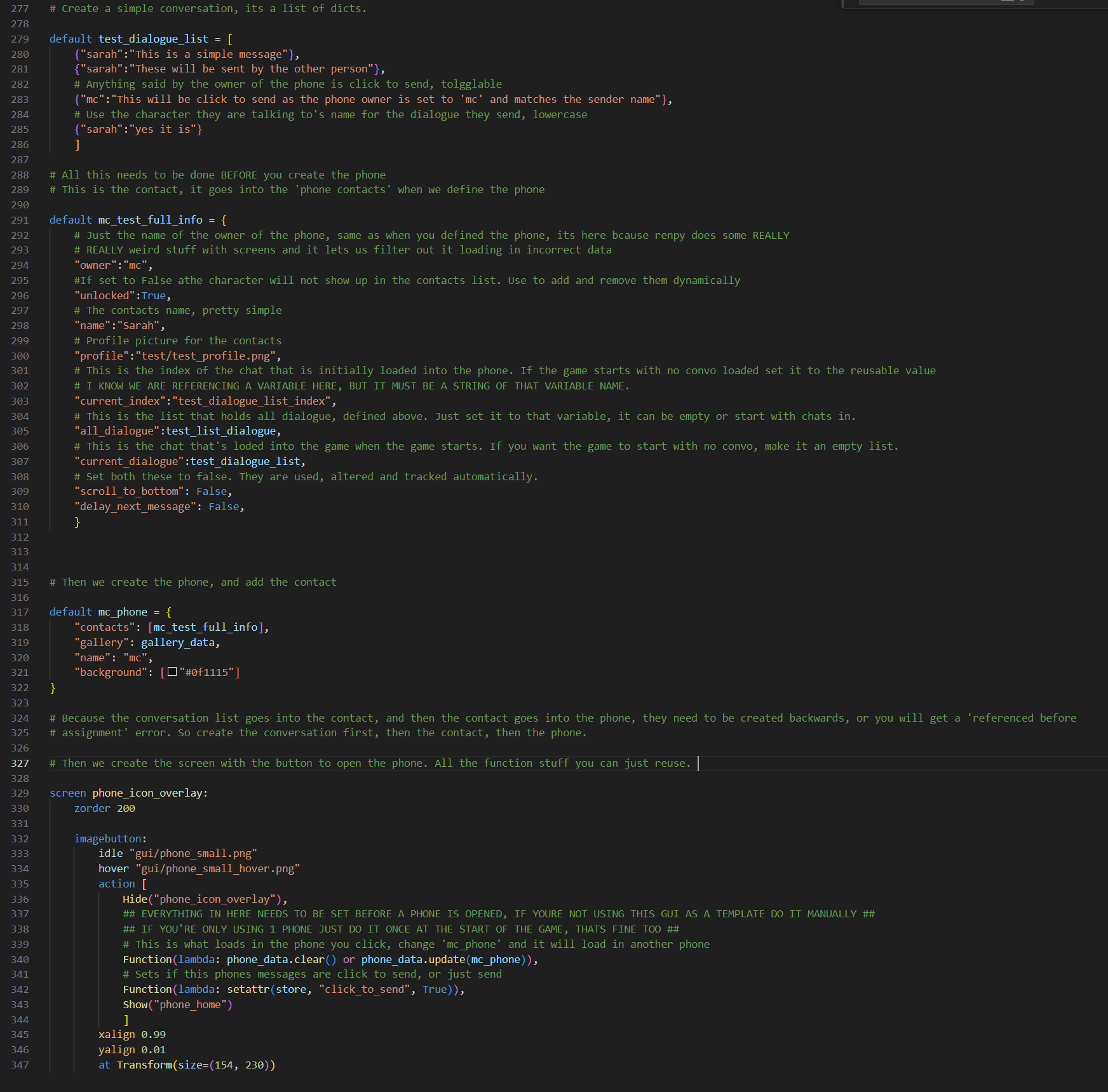
Set the name of the 'member' to unknown, then later, just replace that member with one with a name. So create it with the name unknown, then later remove it and replace it with one with a name.
The name of the contact is made by checking all the members keys, and just using the one that isnt you. So if a conversationg has two members: 'mc' and 'unknown', and the phone owner is 'mc' the contact is 'unknown', as thats the one that doesnt match the phone. If you then remove the unknown member and replace it with a member called 'sarah' it will now use that as the contact name.
But as youre still using the same conversation, just changing the other member, it will still keep all the history.
Let me know if you need an example in code, im just on my phone atm so cant do one right now.
Here, throw this in (change the member name of 'mc' if that isnt your phones name) and it will add a convo with a changing name:
default unknown_convo = [
{"ember":"Hey"},
{"mc":"Hey who is this"},
{"ember":"Ember"},
{"mc":"OH! Ill update your name"},
{"code":"""
mc_ember_convo['members'].pop('unknown', None)
mc_ember_convo['members']['ember']= {'profile':'addaprofilepic.png'}
"""},
{"mc":"done"}
]
default mc_ember_convo = build_conversation(
unknown_convo,
member("mc"),
member("unknown", profile = "test/mc_profile.png")
)
You can obviously replace it from wherever you want, i just showed it being done in the phone here.
so i didn't want to make a whole new comment to ask this but, i know there's the code: allow_continue = True to use in order to get to a label that you used in the old demo, but i was wondering if there was another that could be used.
i'm trying to switch between regular renpy labeling & dialogue and the phone. i'm making it where you need to check the phone conversations in order to continue with the renpy portion.
i'm probably making it more complicated than necessary aha... ;;
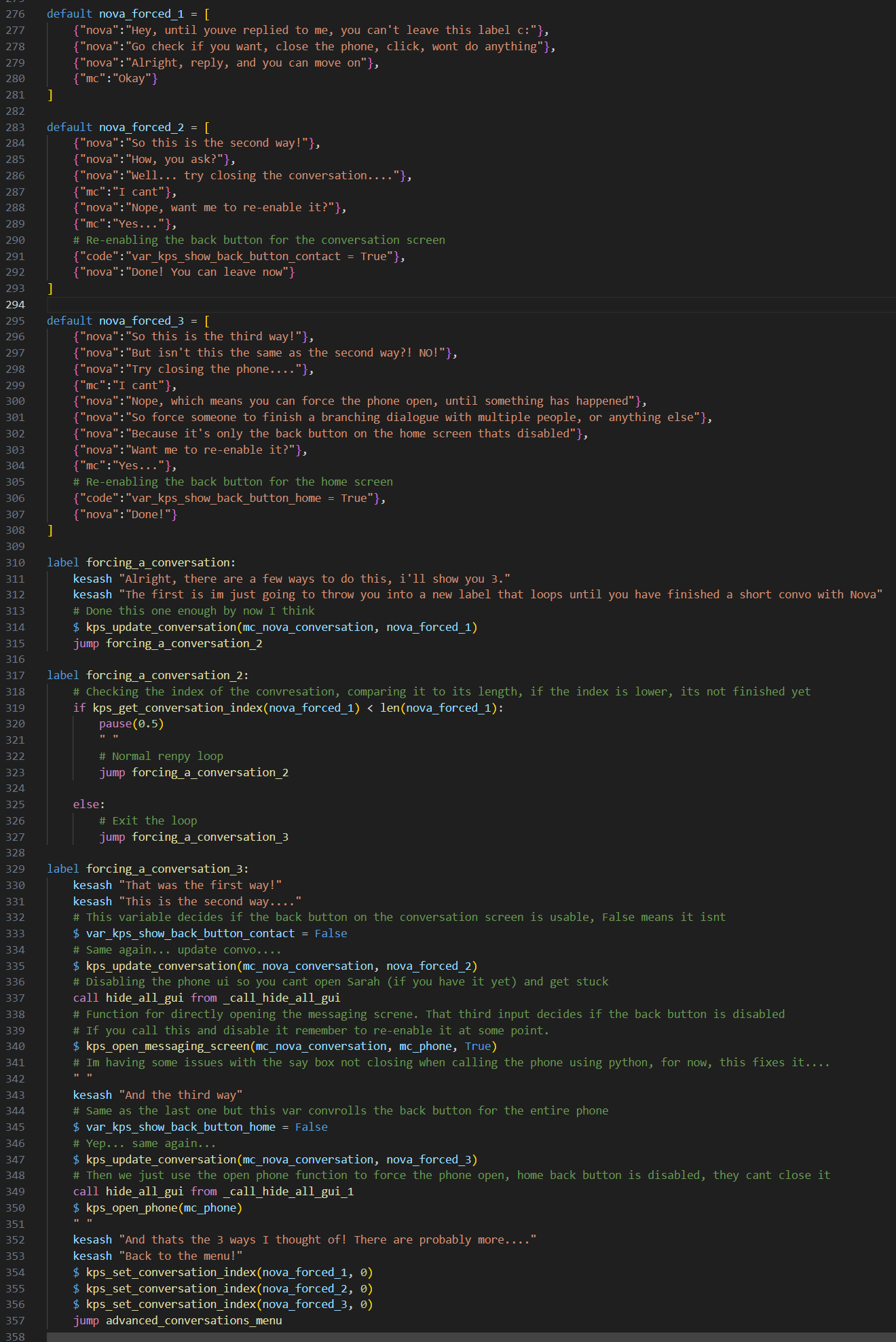
Noticed right after I sent the comment. I've been tinkering with it and found something that can work. Thank you for all the work you've been putting into this!
Also, somewhat unsure if I'm the one making a mess of the code you presented but I've noticed that after I did the contact name change, whenever I leave the chat, it shows this instead of the changed name "Junichi"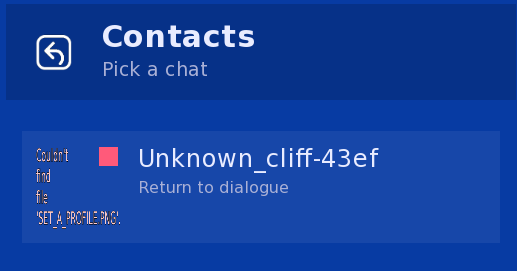
Its been changed to a group chat so its using the group chat name, this means there is either 1 member, or 3+. Make sure that when you remove a member you add another one, and if you add another one you remove the original one. If you shift+o for the console (this causes a rollback so make sure you click to advance dialogue once before you do) and type conversation_name['members'] (obv replace conversation_name with what its actually called) then it will print the members out for you, and you can check.